LS Staging

Tag: Social Media Optimisation

  • Optimize your Social Media Campaign with Hashtag Engine Optimization (HEO)

    Optimize your Social Media Campaign with Hashtag Engine Optimization (HEO)

    What is hashtag engine optimisation @LogicserveDigi

    You come across several #hashtags everyday. Do you wonder what are they meant for? Do they really help marketing guys to get high traffic on their social media platforms and websites? If you have these questions then you are at the right place.

    Hashtags got instant fame when it was first introduced on twitter. It also took no time for marketers to use this powerful tool to reach the right audience within a short time. This gave birth to a new marketing strategy that focused on Hashtag Engine Optimization (HEO). Before we move on to learn what HEO is, let’s first understand the basics.


    What is a hashtag?

    In simple words, it is a word or phrase preceded by ‘#’ hash symbol. A hashtag helps to identify the content related to a topic people are interested in. To help make search in the Twitter easy, Hashtag was born. Due to its popularity, other social media sites like Google+, Facebook, and others adopted and encouraged it readily on their sites. Hashtags allow people to find their desired topics on social media websites effortlessly by simply clicking on them. They hold power to drive huge traffic from social media networking sites to a website.
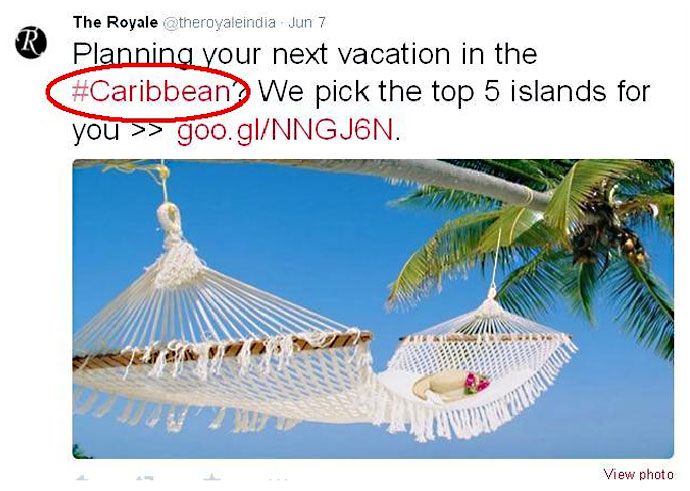
    Hashtags allow people to find their desired topics on social media websites effortlessly


    What is Hashtag Engine Optimization (HEO)?

    To bring in heavy traffic on your social media sites and websites, it is important to optimize your hashtags with the latest trends. Finding the relevant and trending hashtags, creating appropriate content around them, using the right hashtags effectively to get a wider coverage and bringing heavy traffic to social media sites and landing pages is what HEO is all about.


    Why you should start your HEO right away?        

    There are two important reasons why you should start your HEO right away! Firstly, there is a very low competition as HEO is still at its infancy stage. Second and the most appealing reason is compared to other marketing strategies it gives you immediate results.


    How to use optimize Hashtags intelligently?

    Before you start your campaign, you must first understand the keywords relevancy and how it best relates to your brand or product. For instance, you are writing a blog on ‘Top 5 must places to visit in India’ think about the most relevant keywords or phrases that relates to your blog post. Think what your target audience would probably search for when they wish to visit India. You can use hashtags like #mustvisitindia or #bestofindia or on similar lines.
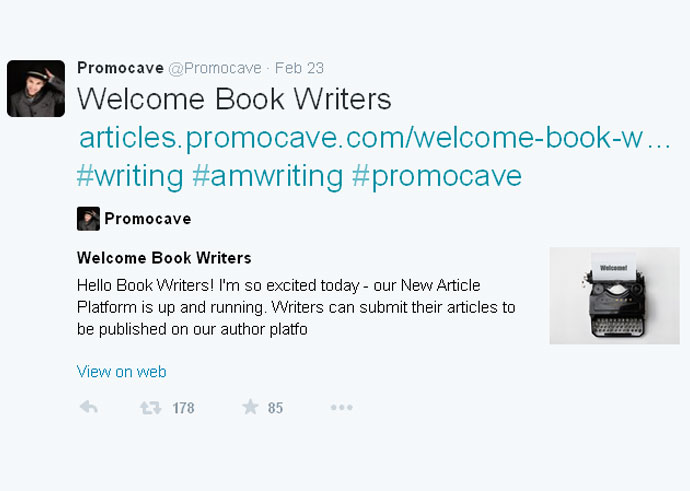
    How to use hashtags

    Let’s take an example of an online community called Promocave. It is a place where authors and writers market their books and interact with their favorite authors. They came with a campaign wherein, if you are a writer or an author of any book, you simply need to follow Promocave on Twitter and simply tweet – ‘Welcome book writers to twitter #amwriting #Promocave’. When you post this tweet, Promocave immediately finds you and starts introducing you to other writers and famous authors, thereby drastically increasing your number of followers! A simple hashtag has a power to bring heavy traffic to your social sites.


    Where to find popular and relevant topics for hashtags?

    Now you know how hashtags can help you send your message effectively and hook your audience to the conversations. But, the question is where to find the relevant and trending topics for hashtags? No need to worry. Here are some tools that can help you.

    Hashtags.org is a free tool that can help you find what is trending over past 24 hours. They also have a paid service that allows you to monitor and store hashtags.

    What The Trend can help you get twitter related statistics and information. It allows you to see city wise trends, national trends and even global trends. A great place to derive inspiration if you are a blogger!

    Trendsmap is quite different from other tools mentioned above. It visualizes the hashtags and exhibits them on world map. You can see the current trend by city, country or continent.


    Logicspeak:

    Make sure you keep the subject relevant and don’t crowd your tweet with too many hashtags making a bad impression. Start your own campaigns by using popular keywords. Get popular keywords ideas from Google Keyword Planner and base your hashtags on them. Also, by following other similar subjects and trends you can get more ideas.

  • 5 Tips to Get Started With Visual Storytelling on Facebook

    5 Tips to Get Started With Visual Storytelling on Facebook

    LSD-Blogpost---social-story

    Story telling is a great way of relating to each other and to the world as a whole. Moving on from a real time platform, you now have a virtual platform through the Internet to showcase your stories and connect with fans and viewers all the way, crossing every possible barrier.

    Within social media sites, Facebook stands the top contender for outreaching to a wide number of fans and followers. Remember, Facebook users not only love images but also like commenting, sharing and clicking on links through them too. Speaking of the Engagement factor, Facebook posts with images enjoy an engagement factor of almost 93%, more than 100% comment and also more than 80% clicks on links on image posts.

    Now, how to go about visual storytelling on Facebook – Begin with these 5 vital tips –


    1. Ideas and Inspiration

    Post visuals and videos that actually inform/guide viewers on how to make the best use of your products or services. Your viewers could be real or potential customers who would prefer to spare a few minutes viewing or watching them.

    https://www.facebook.com/Pepperfry/photos/pb.111599995603231.-2207520000.1428662399./779232532173304/?type=3&theater

    Ideas and Inspiration by Pepperfry
    Ideas and Inspiration by Pepperfry


    PepperFry, a leading furniture e-tailer in India offered a neat tidy furniture solution concept keeping in mind people who are frequently changing residences. If you look at the visualisation, it offers a complete solution to its buyer. It is not only promoting the products but also helping a potential buyer to visualise its usage and placement. This will appeal more to your audience compared to a post only about a single product.


    2. Infuse Life in Your Brand

    Build up on customer loyalty by portraying the ‘human’ quotient of your brand’s offerings through a video. If at all, your offerings solve impending issues of the users, you have definitely scored on the loyalty factor.

    This video highlights Samsung introducing video calling service for its hearing impaired users. For reaching out to other hearing impaired users and their relatives, Samsung actually trained an entire neighbourhood, in Turkey, in sign language to surprise a dumb and deaf citizen and it connected at a much compassionate level with such people and their family members. Released in March 2015, this video has been viewed more than 9, 00,000 times.


    3. Connect with Viewers

    Build up an interactive channel between you and your viewers. Be it contests, product reviews, guides, look books and DIY guides, make sure your viewers relate to your posts well. Be responsive real time and helpful too.

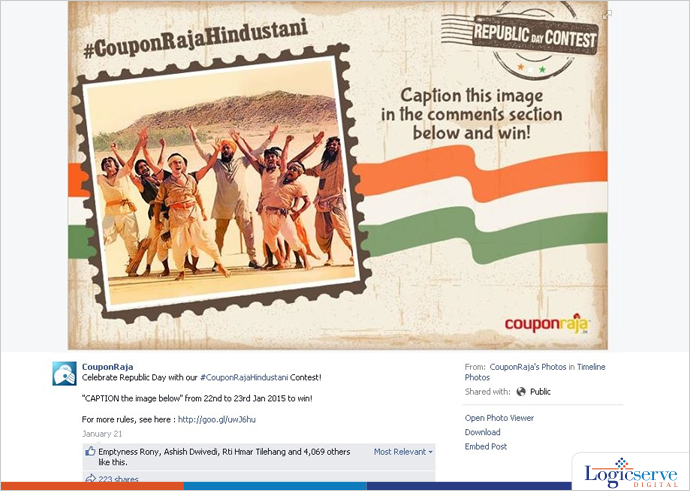
    https://www.facebook.com/CouponRaja/photos/pb.121562624611451.-2207520000.1428575318./593942977373411/?type=3&theater

    Couponraja republic day contest
    Couponraja republic day contest received 4K likes over a short period


    Couponraja, India’s leading portal hosted a contest on account of Republic Day which received nearly 4k likes over the short contest period.


    4. Short, Clear, and Catchy

    Micro videos have become the order of the day. Keep them short, clear and of course, catchy, keeping in mind the critical ‘time’ factor. Your communication flow within the video should be lucid and clear for the audiences to clearly understand the message you wish to convey. A video too long could relate to missing out on the vital audience who may bookmark it for later viewing.

    With a shrinking attention span, Vine videos are up to 6 seconds while videos on Instagram lasts up to 15 seconds or even less. So, now you know what you need to offer.

    https://instagram.com/p/zA98KAxc1J/

    This Starbucks video on inviting coffee lovers through a chalk art sketch for a World’s Largest Starbucks Date garnered nearly 122k likes.


    5. Planned Outreach

    Before embarking upon a visual storytelling campaign, always have a plan ready that highlights the next path forward

    • When and where the story will be first published
    • The other channels on which it will be shared apart from Facebook
    • The revenue spend kept reserved for the campaign
    • The duration of promotion and it various levels


    Recently, Facebook’s Mark Zuckerberg reiterated the golden rule of survival – Adapt or die. Keeping in mind the upcoming popularity of videos, Facebook is soon going to support spherical videos which can be watched from different vantage points. As predicted by him, five years down the line it’s going to be videos all the away.


    LogicSpeak:

    Today’s audiences have a ravishing appetite for visuals and videos. They are on a lookout for creative and appealing stories every second. Depending upon the performance metrics of initial visual stories, you could proceed to keep them engaged in an interesting manner.

  • How to Manage Your Daily Social Media Activity?

    How to Manage Your Daily Social Media Activity?

    Tips Manage Social Media @LogicserveDigi

    Are you looking to manage your social media activity so that you can make it more productive? Here is your chance to make it happen. We will take a look at the different methods and strategies which can be of help.

    1. Respond to your followers

    When you are having an active social media profile, the important thing to keep in mind is to respond to your followers. Until and unless, you are interacting with people and responding to your followers, how are you going to build a strong pool of audience. When you want to manage your social media activity, you will have to devote time to stay in touch with your followers. For instance, when it comes to personal messages on Facebook or Twitter, you must make an honest effort to answer the same.

    1. Focus on one platform but maintain profiles on all

    There are a lot of different social networking sites and it is important to maintain a sound online presence. However, if you are active on all sites, it will entail great deal of time investment. This is the reason; you should try and focus on one site at a time. Try and shift the focus periodically. You must spend a little time on all profiles but divert your focus extensively to one of the platforms. After a week or so, pick another site to focus on. This constant rotation will help you build an active social presence on all the leading sites without compromising on your life as well.

    1. Make changes for important updates

    While you may have a schedule to fall back on, it is important to ensure that you need to be flexible enough to adjust the new updates. If you find out that you have some kind of breaking news or important update coming up, you may have to invest more time for these activities. Try and ensure that you can spend more time on such sites and come up with engaging ways and methods to post the update. The more interesting the update, the better will be the engagement which people will show.

    The main aim of social networking site is ultimately to drive the right kind of engagement and when you are looking to do so, capitalize on the fresh news which floods the market.

    1. Schedule your activity

    There are social networking sites that allow you to schedule your posts. For instance, when you have a Facebook page for your firm, you can always choose to schedule the posts. This ensures that you can adjust your activity with the schedule you have. On days you have ample free time, you can schedule the posts the way you want and they will be auto-posted at the time you choose.

    LogicSpeak :

    These are some of the different ways by which you can manage your social media activity and ensure that you stay at the top of it. Regardless of the fact that you have a personal or professional image, it is pretty important to have the right kind of social media activities.


  • What Nobody Will Tell You About Twitter Analytics

    The kind of launch and announcements which happened last month, I don’t think we have witnessed anything of this sort in last two years on social media analytics & insights front.

    Twitter native analytics open to all users, Pinterest analytics launch for business accounts and finally Instagram business tool announcement clearly suggest one thing that these big platforms are here to fill the need of much awaited marketers demand i.e. brand communication performance on these platform or as we know it popularly, insights.

    This also indicates how these platforms have changed gears to monetise their property aggressively. It highlights one important trend of recent times that how an image-driven engagement evokes a powerful emotional connections and response among users, growing active users of Pinterest and Instagram, a case in point.

     Dashboard:

    So what is the deal with Twitter’s newly launched analytics and their dashboard. Let’s decipher it.

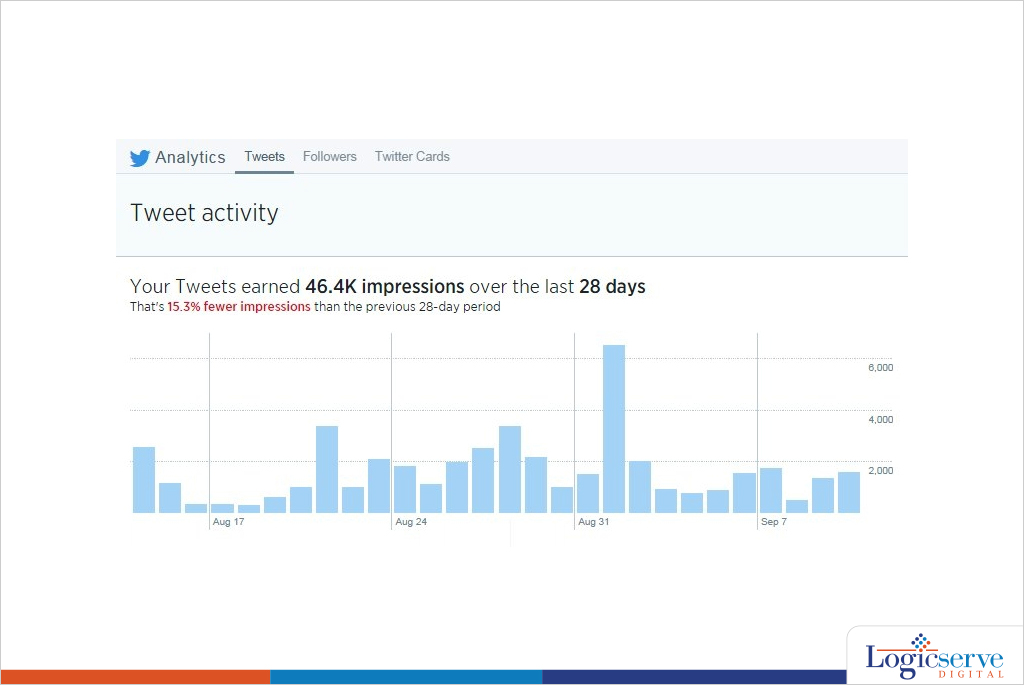
    As soon we land on analytics.twitter.com through our personal or business handle, we are welcomed by a dashboard mixed with graphs, stats and different menu tabs on top.

    Twitter_Dashboard @LogicserveDigi

    Tweets:

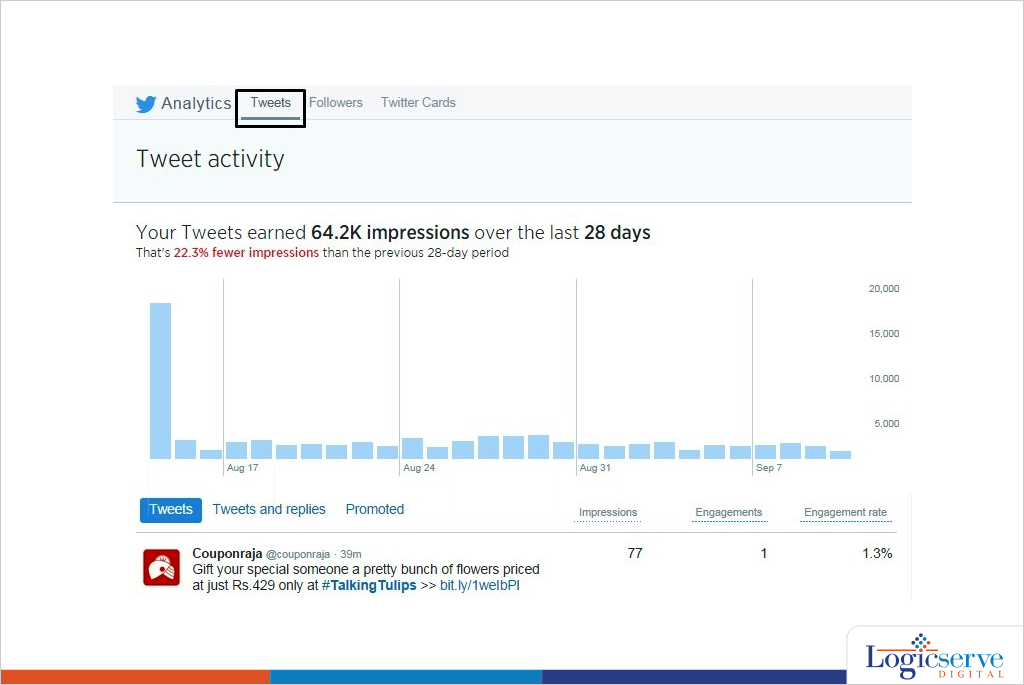
    The first option on top is Tweets which shows all the recent tweets with their Impressions, Engagements & Engagement rates.

    Tweets is further subdivided into ‘Tweets and replies’ & Promoted tweets (tweets used for paid campaign)

    Tweets---1 @LogicserveDigi

    Decoding Impressions & Engagement:

    Impressions is defined here as ‘Number of times users saw the Tweet on Twitter’, Engagement here is ‘Total number of times user has interacted with a tweet. This includes all clicks anywhere on the tweet (including hashtags, links, avatar, username and Tweet expansion), retweets, replies, follows and favorites. Engagement rate is the number of engagements divided by total no. of impressions.

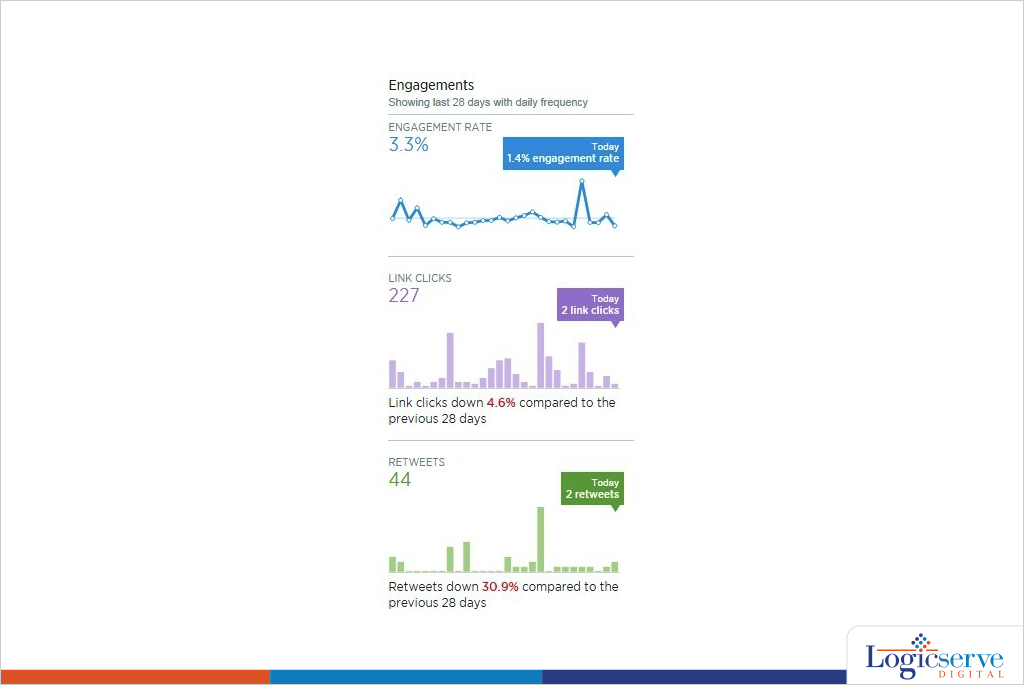
    The right hand side column showcases impressions, engagement rate, link clicks, retweets, favorites and replies calculating average over a period 28 days.

    28-days_average @LogicserveDigi

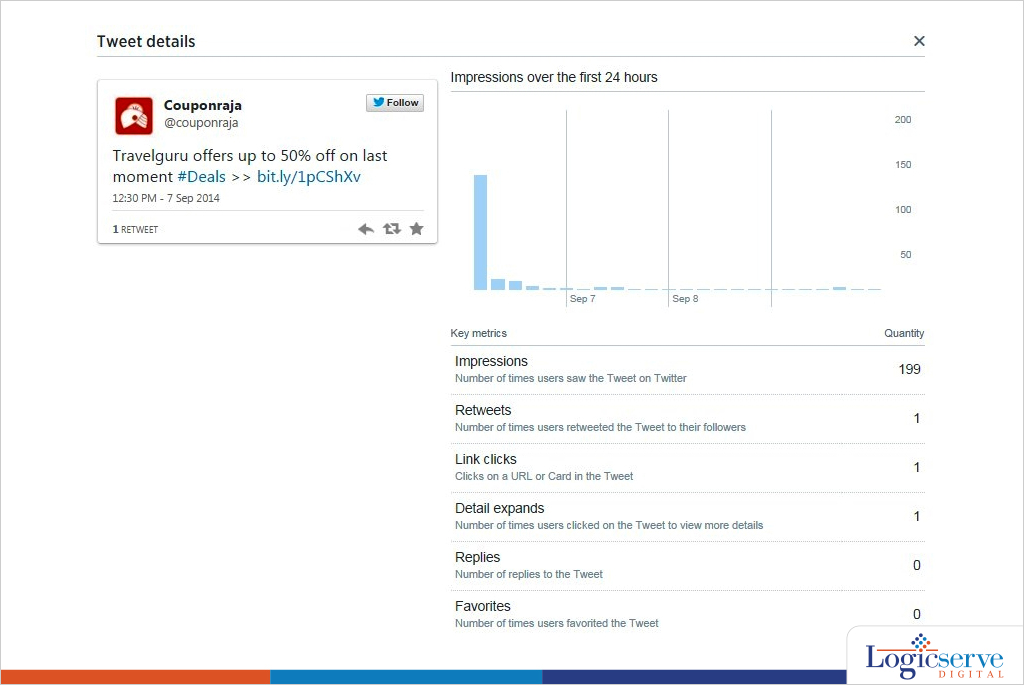
    One of the things in this dashboard which I really liked was when you click on the tweet data it throws up a pop-up info which dissects how the tweet has performed. It shows details like Impression graph, User Profile Clicks, Details Expand, ReTweets, Favorites & Replies.

    Tweet_details @LogicserveDigi


    The “Tweets” menu on the top also gives the insights on how to maximise the brand’s presence in the platform. Alongside it also plays a vital role whenever you create  your next Twitter strategy.

    Through this feature you can know :

    Best time to post your tweet: The no. of impressions could tell us, the most appropriate time to tweet.

    Content: Going by engagement rate we can differentiate a good content from a bad one. It would also tell which ‘type’ of content (image, text, video, link, vine) works better.

    Followers:

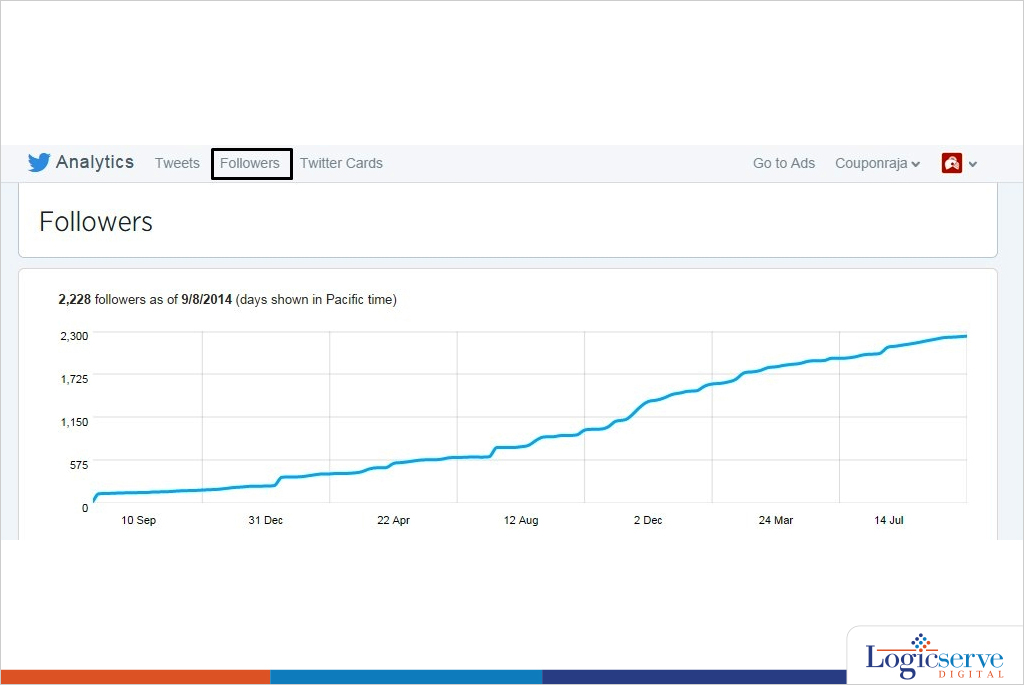
    Second option on top menu is Followers

    Followers-1 @LogicserveDigi

    Followers give a very good insight about the user base of the twitter handle.

    Some of the key things in these features:

    Graphs with followers gained over a period of two years.

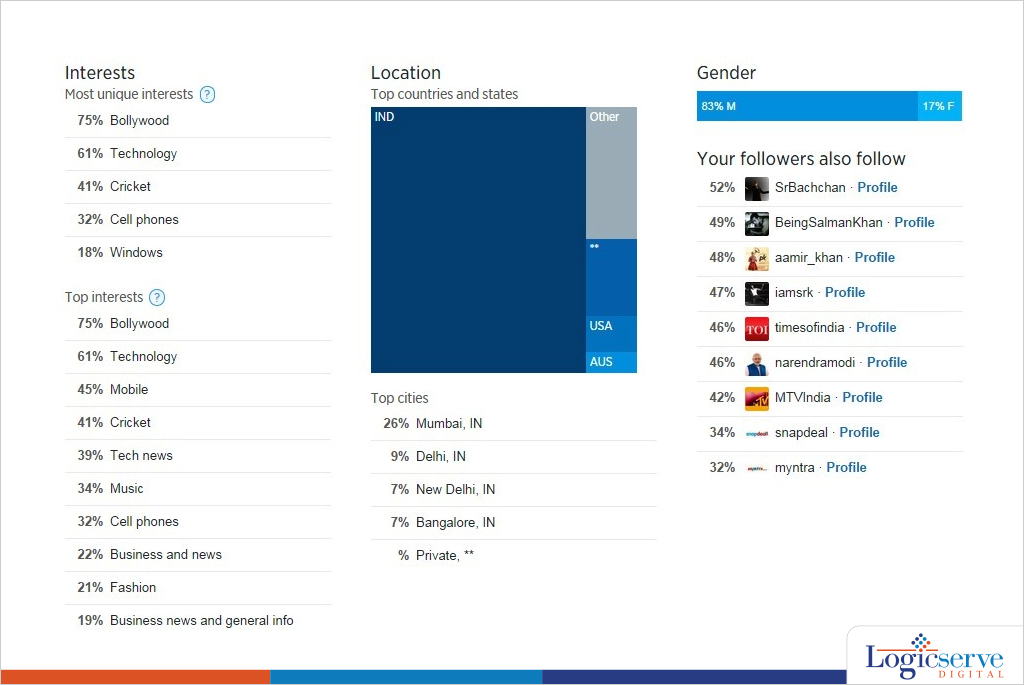
    • Interests (The top 5 most unique interests of your followers)
    • Top 10 interests

    Location graph with top cities

    Gender Segregation

    • Top Profiles of users with ‘Your followers also follow’

    Followers-2 @LogicserveDigi

    Twitter Cards:

    This is the last option on top menu.

    Twitter card analytics feature is to track the paid promotion which includes URL Clicks, App Install Attempts data & Retweets.

    Overall, twitter analytics is by far one of the most simple & comprehensible dashboard. With Twitter ‘Buy’ button coming in picture this would be an integral to track transactions.


    Previous Post: Google Authorship May be Dead, But, You are Still Writing. Aren’t You?

  • Top 10 Social Media Tools

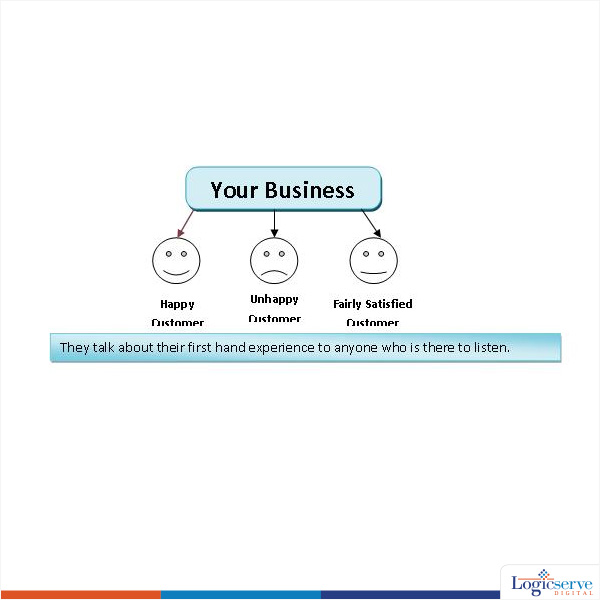
    Man is a social being. Also the reason why always want to share “Hey this happened to me!!” at every available opportunity. Now, put these two together, what do we get?

    2

    Depending on their experience, you could either gain or lose a potential client. We don’t want to lose clients, do we? Even with an unhappy customer, it would be nice if he shared an objective perspective and not an emotional perspective. But then, people are people, and that’s how they share experiences.

    The trick here is to engage your customers and potentials in a healthy way. The idea is to have your customers become brand ambassadors and generate more business for you. But, how do we go about doing this?

    Social platforms like Facebook, Twitter, Reddit, Blog comments, Linkedin, Quora (..oh.. the list is endless…) provide ample space/opportunity for a healthy discussion. But, is it possible to login to each one of them…and be online at all times… at all of these sites? I guess not. Logistics apart, such an act will leave you no time to actually conduct your business… not a productive way..eh!

    Enter Social Media Tools.

    Social Media tools are utilities that allow you to manage multiple social media activities via a unified dashboard.

    Here we have our 10 best Social Media Tools, under 5 categories. You can see that some features look similar. But they are not the same. Each tool has its strength, and hence its placed under the chosen category. Some are free, some are paid tools… but offer free-trial-version for you to explore and evaluate.

    1. DASHBOARD UTILITIES

    Every management tool comes with a dashboard, but that is besides the point here. These tools exclusively help you track your social media activities from a single unified dashboard. By linking to your multiple social media accounts, they allow you to set up schedules on…

    When you want to post (date –time)

    • Where you want to post (Facebook/twitter/Linkedin etc)
    • What you want to post (text/link/pictures etc)

    2. ANALYTICAL UTILITIES

    It is just not enough to get “info / data” by listening to social media chatter. Such an exercise bears fruit only when you are able to convert this information into something actionable…. Actionable enough for your brand / company to (re)act accordingly. These tools allow you to make sense out of raw data and give you an insight into why a certain strategy works (or tanks).

     3. SOCIAL MEDIA TRACKING TOOLS

     Social Media is all about sharing. The more useful AND relevant your information is, more likely it will be shared by others in your network…and in their network…and in their network.

    See my point… it gets re-shared. In other words, it goes viral.

    Wouldn’t it be nice to keep track of all these sharing? May be you want to thank a person or two? May be you would want to by the fella a drink? And, this my friend is getting social, and engaging your loyal followers. Keep them in good spirits, you just won yourself a brand ambassador for life.

     4. PUBLISHING TOOLS

     Content is King. PERIOD.

    But, you need to get the right content reach the right kind of users. An article about upcoming art exhibition is absolutely useless to plumbing company but immensely priceless to artists and art-enthusiasts.

    These tools help create custom lists to who you can publish your content (as an email newsletter). The information reaches only to those whom it might matter the most.

     5. LINK TRACKING TOOLS

     Social Media is all about links-links-and more links to meaningful/useful content.

    Best way to engage your networks is by being short and to the point. But there is only so much you can say with so little words, and would need a more descriptive way to convey your point. This is made easy by linking your social media message to a link (a.k.a Content source).

    These tools help you track the performace of your links. This is vital in understanding the demographic for your network and come with a more targeted list.


    DASHBOARD UTITLITES

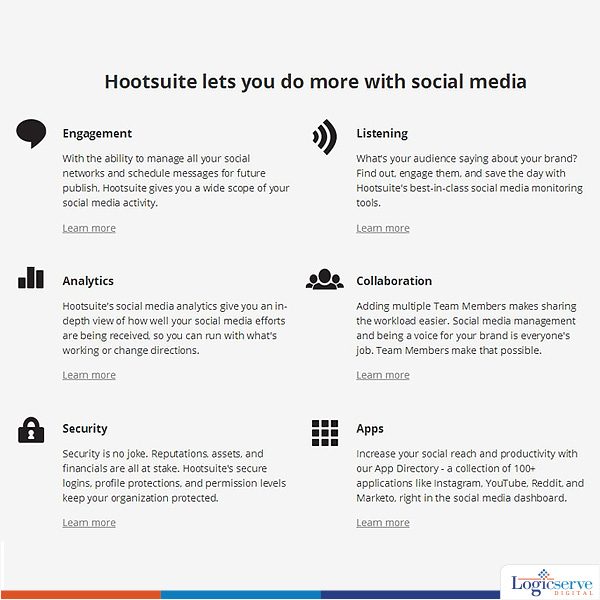
    Hootsuite
    Hootsuite
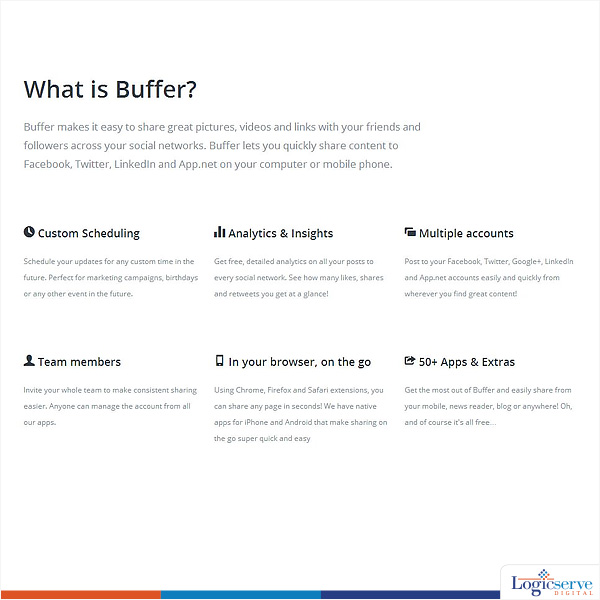
    Buffer
    Buffer


    ANALYTICAL UTILITIES

    Google Analytics
    Google Analytics
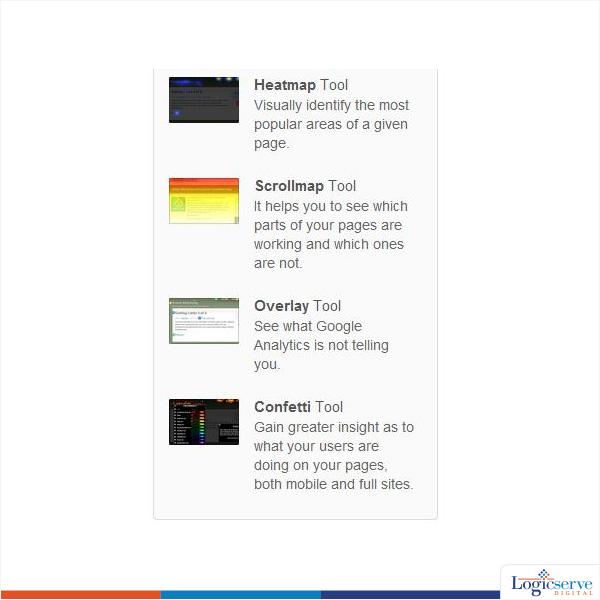
    Crazy Egg
    Crazy Egg


    SOCIAL MEDIA TRACKING TOOLS

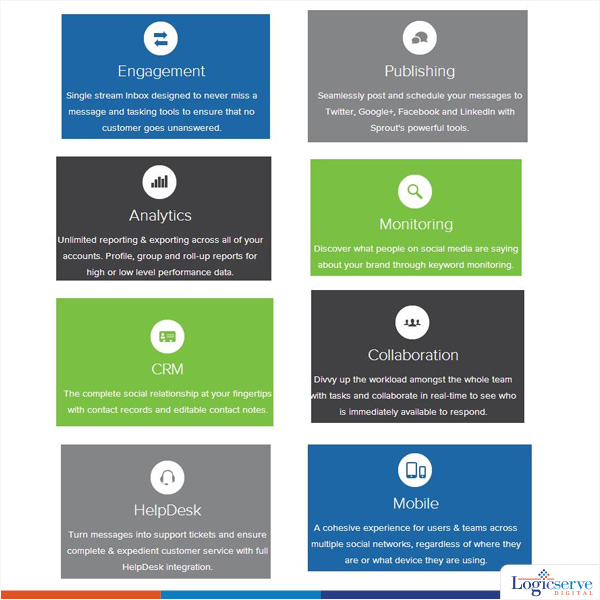
    Sprout Social
    Sprout Social
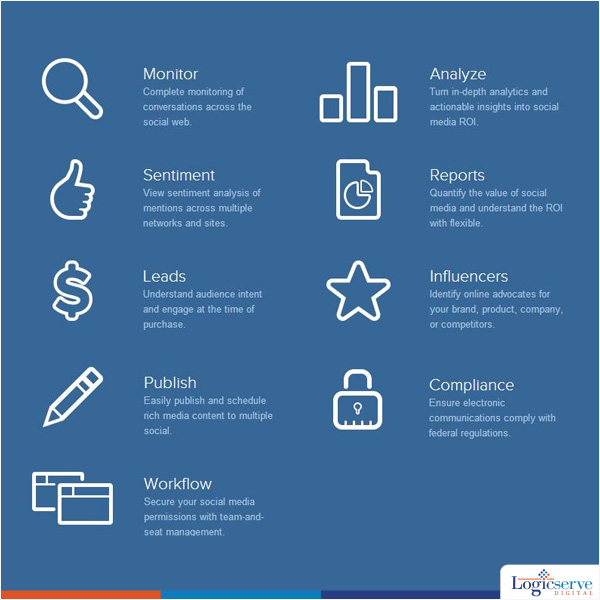
    Viral heat
    Viral heat


    PUBLISHING TOOLS

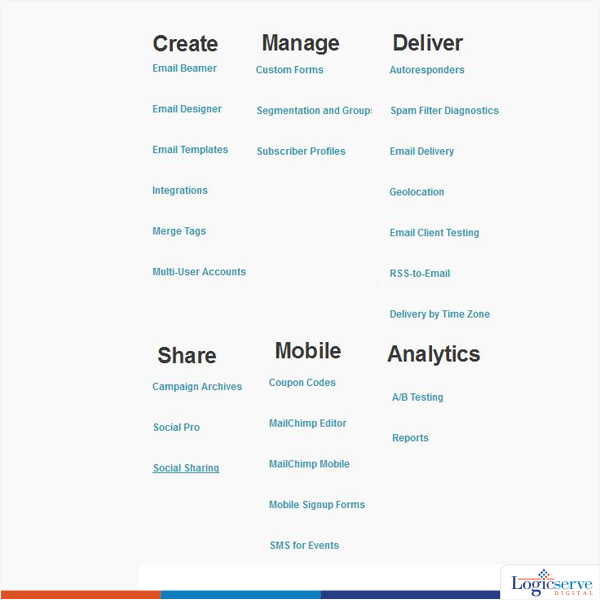
    Mail Chimp
    Mail Chimp
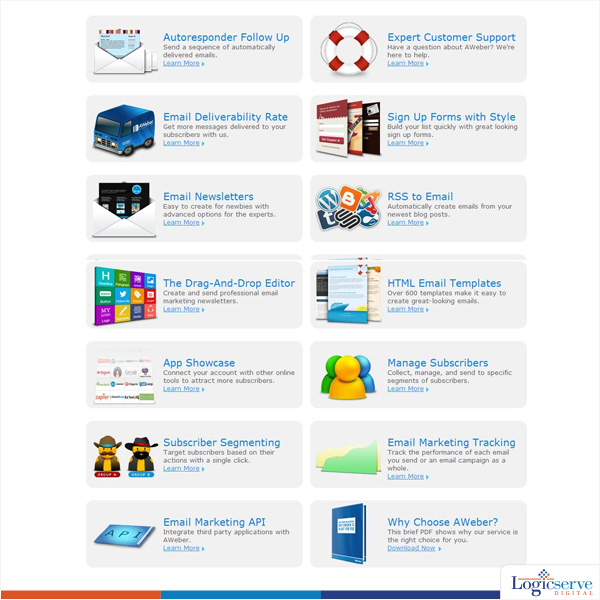
    Aweber
    Aweber


    LINK TRACKING TOOLS

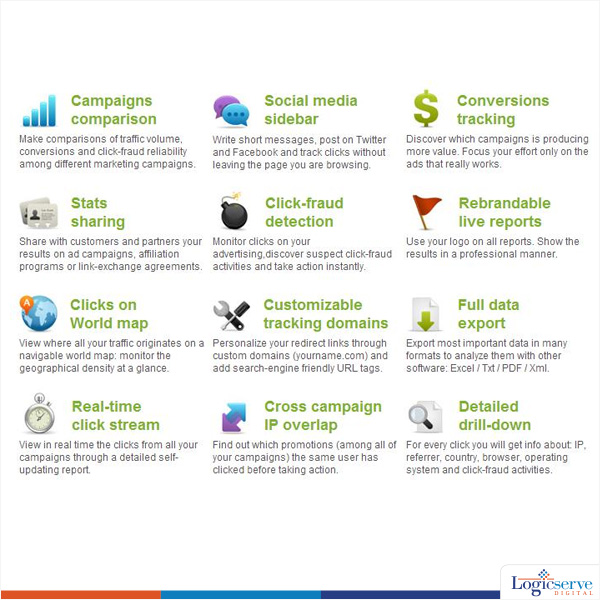
    ClickMeter
    ClickMeter
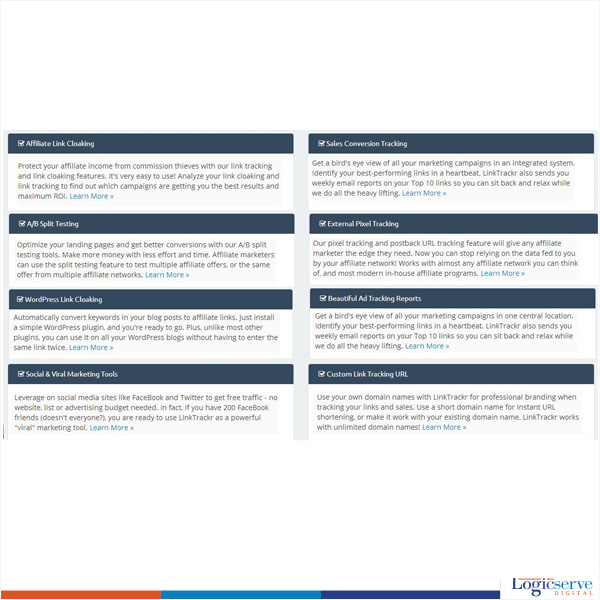
    LinkTracker
    LinkTracker


    LogicSpeak:

    Everyone is interested to know what the other person has to offer, but downright dislikes a sales-pitch. So use your social media interactions wisely.

    With Social media – LESS is MORE.

    Previous Post: What You Need to Know About Creating and Scaling Quality Content

  • Ways to optimise Social Media Channels

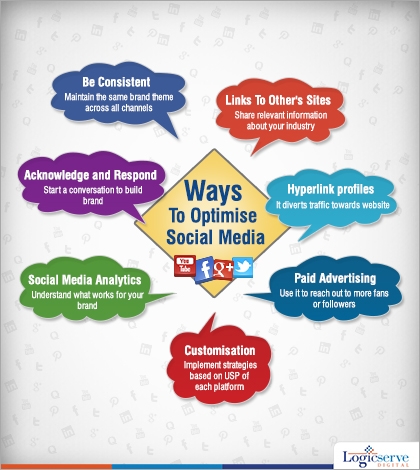
    Ways to optimise Social Media Channels

    Social media optimisation for blogs @LogicserveDigi

    Maintaining effective social media guarantees that you make a positive impression on your prospective business contacts as and when they look for you online. Also, remember to capitalize upon this social media traffic proactively and watch your business expand and grow.

    For those yet to adopt and embrace social media for their brands, here are a few pointers that will help you manage your virtual identity in the right manner.

    Be consistent when establishing your brand online – Plan and prepare your corporate logo and tag line keeping in mind the social media factor, as your fans and followers are likely to identify with your logo across various social media channels. Especially, when there are quite a few of them e.g. Facebook, Twitter, Slideshare, LinkedIn and others. Also, it helps if you run the same campaign or promote the same products/services across other platforms for building up a trust worthy customer relationship.

    Hyperlinks from profile pages – Since you wish to enjoy traffic to your site through your social media profile pages make sure relevant hyperlinks are provided on them. It is important for your visitors to find relevant information when they arrive at your site from your social media page else they will be disillusioned to never return. These relevant links are likely to enhance your SEO rankings too, so make sure they are most suitable ones.

    Acknowledge & Respond – Being active on social media is one the key parameters for its successful performance. If you find a new fan or follower on your profile, do cross check and then follow back. This gives you an opportunity to listen to their requirements, feedback and even queries. It is through this channel that you can solve their issues and engage customers to the next level, publicly or at a personal level as per your preference.

    Link to other posts and publishers – When sharing an article on social media, try linking the author as well the post as this means you are acknowledging the authors’ inputs and efforts too. In return, you could get good feedback or a response or even a new follower and soon his/her followers may be following you along with the author.

    Understand and implement the USP of each social network – Each social network has its own set of USP which could have made it click and popular. For instance the ‘retweet’ button, the Google + hangout and circles have their own USPs which is evolving and definitely useful.

    Social Media Analytics – With free and/or paid analytics offered by social media networks, you could always devote some time to study and evaluate them. This helps you in understanding the traffic trends and preferences which can be worked upon for better engagement.

    Prove your worth to earn respect and recognition – When on a social media channel, you have to be responsive, cooperative and of course, useful by promptly attending to their issues and queries, if any or acknowledging their posts or tweets. If at all, you are planning to run a contest or campaign on a particular channel, make sure you announce the same on other channels and invite them to participate too.

    Give Paid Advertising a try – Your scope to grow online increases when social media campaigns are supported by paid advertising initiative for your visibility factor is enhanced greatly. Imagine your ads being displayed when people query for your products/services through the search engines especially if they are not following on social media channels.

    LogicSpeak :

    Maintaining effective social media presence guarantees that you make a positive impression on your prospective business contacts as and when they look out for you online. Also, remember to capitalize upon this social media traffic proactively and watch your business expand and grow.

    Previous Post: How to make Google rank your page higher in the Search Results?

  • Social Media Optimisation : What and How?

    Social Media Optimization

    What is Social Media Optimization (SMO)?

    Social media optimization (SMO) is a technique of marketing in which you market your website in various social networking sites like MySpace, Youtube, Digg etc. Also known as Web 2.0 marketing, SMO acts as a powerful tool to increase the traffic and page ranking of your website. It engages a wider audience through excessive promotion via the public portals. The success of SMO lies in its interactive content sharing through mediums like blogs, video files and more.

    Why use Social Media Optimization (SMO)?

    Social media optimization, sometimes referred as social book-marking, is about building a relationship between your website and a wide group of potential customer. Social media if effectively used can consistently direct a substantial amount of traffic. Some of its advantages are

    • Increased traffic to your website
    • Increased public awareness of your site and product
    • Increased brand value
    • Increased inbound link
    • Increased ranking due to increased inbound and back links

    Thus, social media optimization promotes your business by increasing high user awareness through social sites. This subsequently acts as the marketing strategy for incremental promotion of your product translating into increased conversion.

    What are the parameters used by Social media optimization (SMO)?

    Social media optimization follows the newer version of the ‘word of mouth’ technique where people have been replaced by social networking sites. The content is spread in the form of pictures, movie clips, blogs and more. This technique is known as viral marketing where user awareness of the site spreads across different community site. Some methodologies/functionalities used by SMO are

    • Social book-marking using buttons like ‘Digg this’
    • Using YouTube videos
    • Interaction through social network sites like Hi5 and Facebook
    • Sharing audio and picture files
    • Blogging
    • Frequently updating data using RSS feed
    • Promotion through news groups, newsletters, e-mails and forums

    What is Social Media Optimization service?

    Social media optimization (SMO) service customizes a complete social media website with optimized pages for the network socialite and search engine. The SMO activity would ideally involve the following steps:

    • Increasing the site linkability by making it social media friendly
    • Creating awareness through viral marketing
    • Using free/paid advertisements as a promotional tool
    • Customizing application to geographical locations
    • Creating brand awareness by integrating blogs, newsgroups etc
    • Community building

    How is Social Media Optimization (SMO) advantageous than Search Engine Optimization (SEO)?

    SMO and SEO both have a substantial influence on the web traffic. While SEO focuses on website content, links, structure etc to increase the page ranking, SMO is more about networking through social media. Though SEO is equally effective, SMO is more popular due to the following

    • Easy to implement and needs no expert
    • Result can be seen immediately
    • Good profiling leads to heavy traffic
    • No fee charged
    • Structure of the website not so important
    • Internet community functionalities can be effectively used
    • Gains maximum exposure
    • Encourages online participation by the audience
    • Visual presentation is more important than the content