LS Staging

Tag: PPC tools

  • Four significant points to consider when using AdRoll

    Four significant points to consider when using AdRoll @LogicserveDigi

    AdRoll uses excellent features to attract new prospects and convert them into customers. While not limiting their services to these two steps alone, they look into ways to maximize customer value further. However, we need to understand how to use this platform resourcefully that can help us at creating larger impressions and an increased ROIs while concurrently reducing CPCs and CPAs.

    1) Periodic Ad-Revision

    It is in our basic human tendency to parade attention towards evolvement. What does not change for a long time loses interest radically. Constant modernization and creative content addition is a requisite which can perk up the CTR, lowering costs significantly. More so, AdRoll algorithm is developed in a way to favour during their auction, the ads that were updated recently.

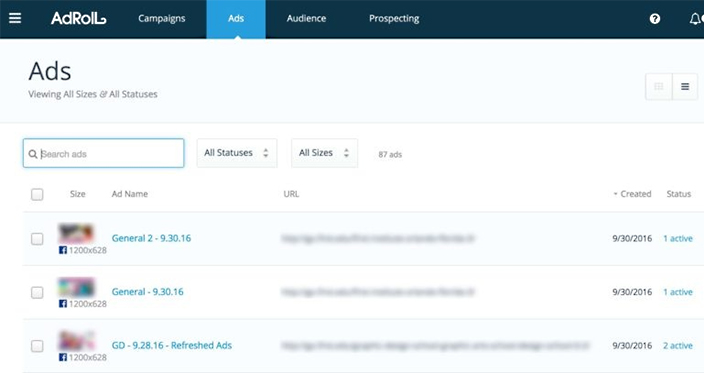
    As seen in the below diagram, on the AdRoll interface, under Ads, the proportion between impressions and CPCs can help identify ads that are in a need for new content.

    adroll campaign@LogicserveDigi

    Source: ppchero.com

    2) Limit Over-Segmentation

    Segmentation is required to attract potential customers, however; over-segmenting in campaigns can cause limitation in your reach. It needs to be understood that when dealing with campaigns that generously target mass audiences, the algorithm will work better. In harmony with the company policy, it is imperative that advertisers distinguishably create product groups/programs targeting different set of campaigns.

    3) Appropriate CPA-Creation

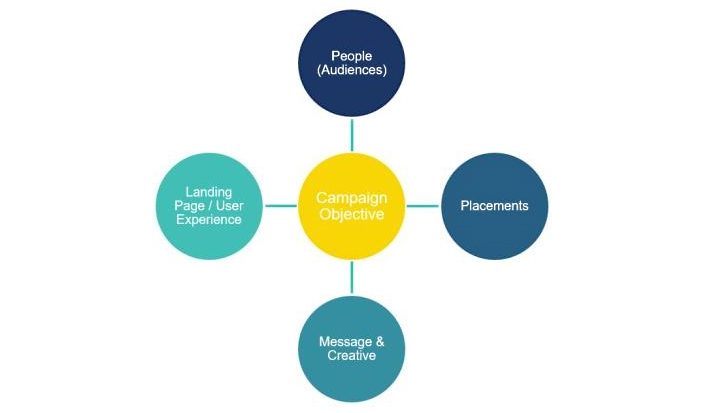
    On account creation with AdRoll, advertisers provide a targeted CPA which acts as the goal for AdRoll’s algorithm influencing performance drastically. It is necessary that the CPA is in line with your campaign and secondly if you run several campaigns it is important that you keep a constant track on the CPA goals you provided earlier on during account creation.
    adroll cpa objectives @LogicserveDigi

    Source: ppchero.com

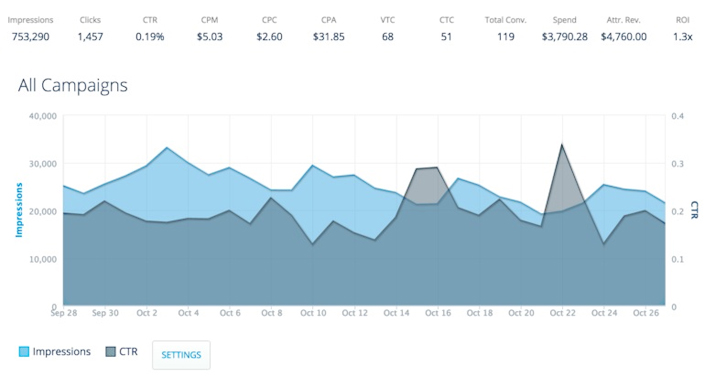
    As an ideal example below, CPA predefined at $45, is seen lower than this value for the past one month.
    adroll multiple campaigns @LogicserveDigi

    Source: ppchero.com

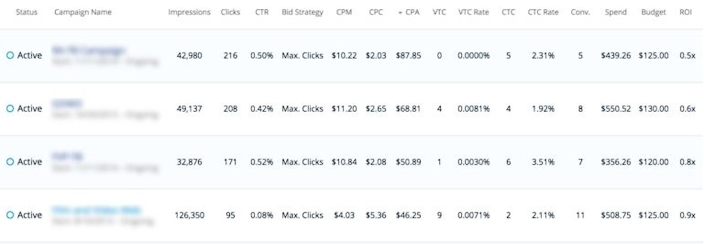
    In the below account, there are multiple campaigns listed with their specific set conversion volume goals. In the first campaign, it is noted that CPA is far greater than the $45 goal, which means that it needs to be revisited to set a more realistic number. After increasing it to $70, it is expected that the impressions will increase which will lead to better metric calculations.
    adroll conversions @LogicserveDigi

    Source: ppchero.com

    AdRoll uses View-through Conversions (VTC) and Click-through Conversions (CTC) for CPA calculations. If you credit AdRoll with CTC alone, ensure that the goal CPA is low enough so that it can align well with your targets.

    4) Revisit Your Visitor Segments

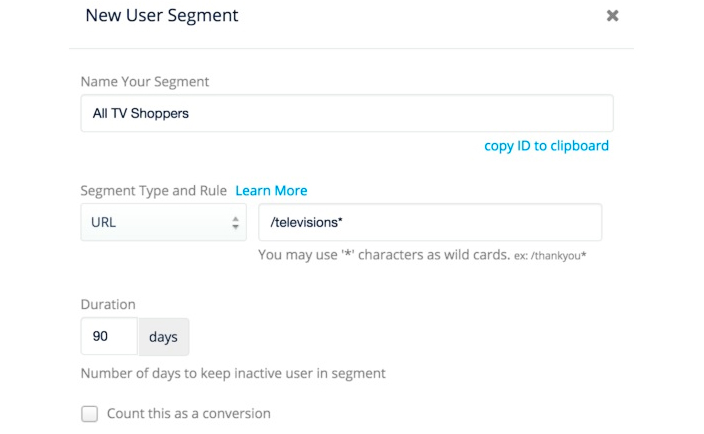
    You need to ensure that you segment visitors based on their behaviour and while creating visitor segments, you are as general as possible. This approach helps the AdRoll algorithm to work efficiently and saves advertisers a lot of time.

    The picture beneath shows a good example of little but clear segmentation (here, the highest level URL is used):
    adroll user segment @LogicserveDigi

    Source: ppchero.com

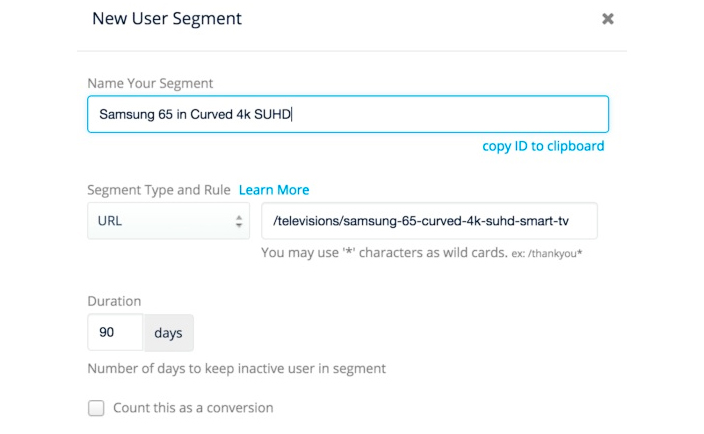
    The picture below exhibits a bad example of segmentation given that this will require the advertiser to specify each page that the target audience could be viewing:
    adroll new user segment @LogicserveDigi

    Source: ppchero.com

    The above mentioned recommendations are beneficial for new AdRoll users and will help them use their features better effectively.
  • Underused Google Features In AdWords That Really Work

    Google AdWords Features @LogicserveDigi

    AdWords is one of the top tools offered by Google and is used extensively. It is important for users to be aware of all the different features which it has. Regardless of the kind of expertise you may have regarding this tool, there are various features which could be of immense help, but remain largely unused.

    Here are some of the top features you should be acquainted with so that you can extract the most out of AdWords.

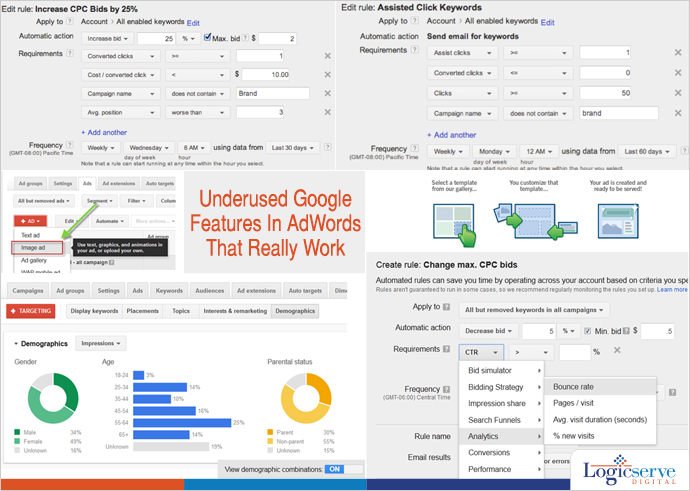
    Display Ad Builder

    display_ad_builder @LogicserveDigi

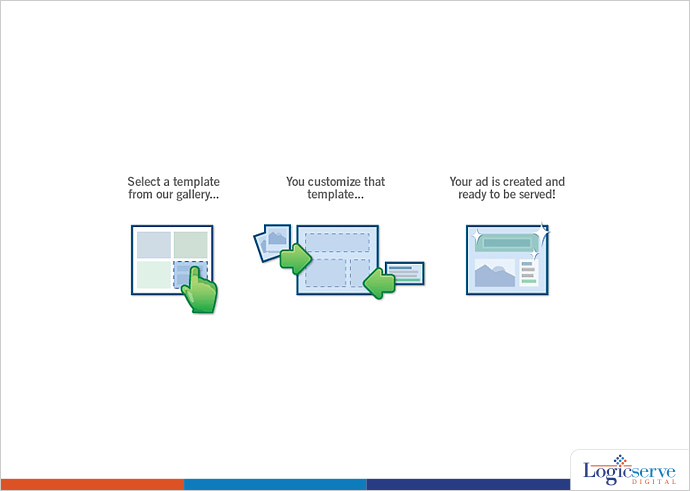
    When you are posting an ad, it becomes extremely important to be sure that you do it in a way that it will engage the readers. The display ad builder is one such tool that allows you to make some of the best ads and that too for free. This tool allows you to make some of the most professional ads and that too in record time. You have innumerable templates and even fonts, images and colours as well. Even when it comes to updating existing ads, you can make the changes with ease.

    Layering Demographic Targeting

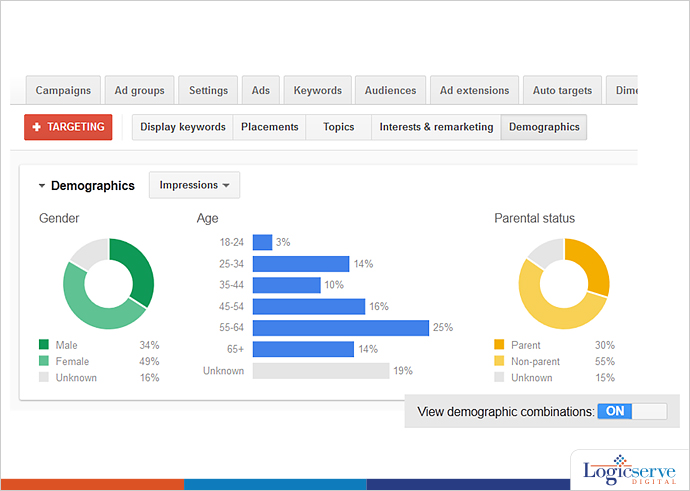
    layered_demographic_targeting @LogicserveDigi

    We are all aware of the kind of importance which targeting demographics have when it comes to advertisements. By keeping an eye on your target market and the overall demographics, you will be able to make the most out of your ads.

    Recently, Google AdWords rolled a new update which allows you to target the demographic results in a much better manner. You can layer the different categories and based upon the results you get, you will be able to find the apt target base and the segment of end users which is offering the best returns to you.

    Automation

    Many a times, it may so happen that you do not have the time to access your AdWords account. However, to make the most out of the situation, it becomes crucial to implement the changes immediately. This is when automation comes into play.

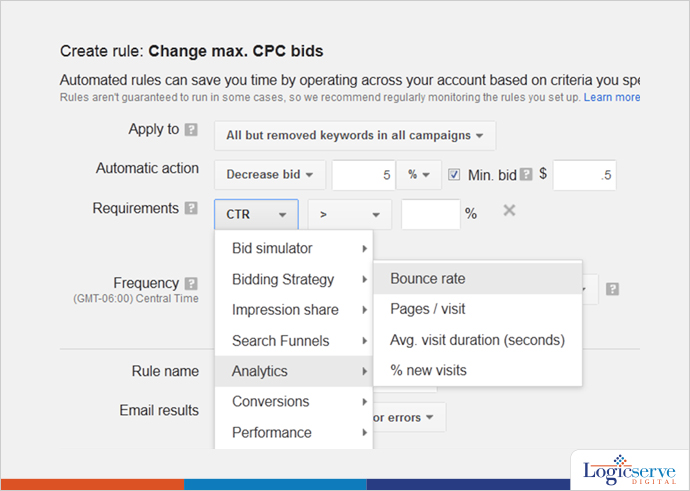
    automated adwords @LogicserveDigi

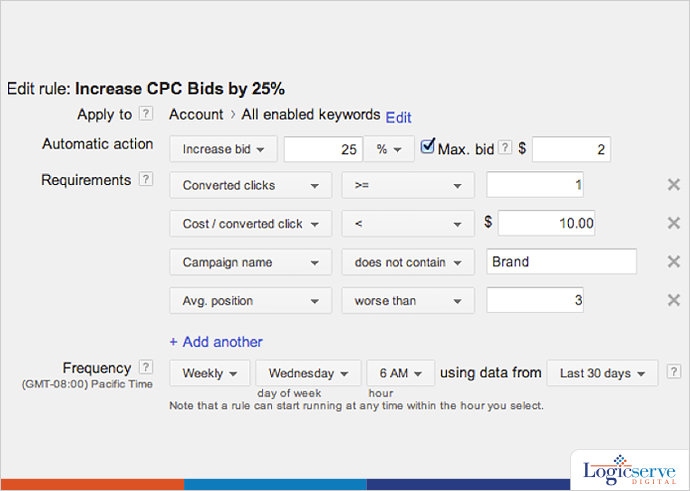
    AdWords offers you the best automation features which you could ask for. Based upon the settings or even triggers that you choose, you will be able to change the status of your ad, budget, the bids you get and a lot more. This feature makes the whole process very dynamic and it is sure to help you in controlling the different aspects of your ad.

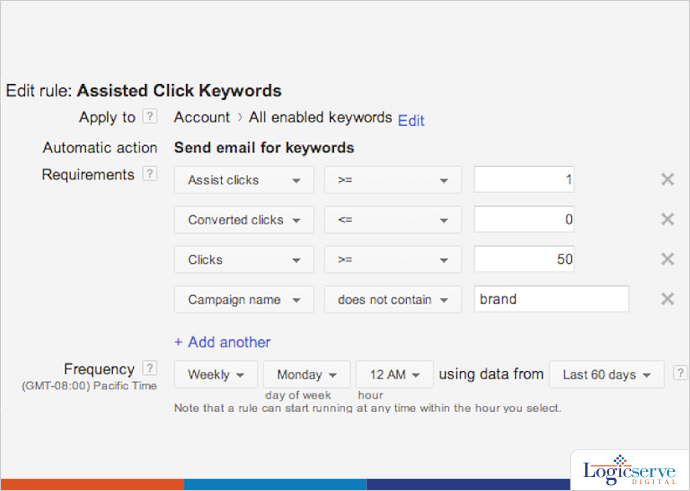
    Assisted_Clicks @LogicserveDigi

    You will find an automate button in your account and merely by using this button, you will be able to control the settings and configure your account without being bothered about every specific details. It brings about a lot of flexibility and adds the dynamic touch as well.

    Increase_CPC_Bids @LogicserveDigi

    AdWords reporting

    When you are using AdWords, no doubt, there is a lot of data you are involved with. AdWords tool offers you the provision to make plenty of different types of report like the top movers report and even segment by distance report.

    These reports will give you a clear insight into the details of how effective your campaign has been. With the right details and statistics, you will gain from these reports; you will be able to make the most out of your campaign. You can customize the tables and implement the right rules by making the most out of it.

    These are some of the best features offered by AdWords which one should tap to ensure that they can get the best out of this tool.


    Logicspeak:

    As Digital Account Managers, we try our best to optimize the campaigns putting in right amount of technical and market skills but what forms the crux of expert digital marketers is the use of the advanced features. The above illustrated advanced features will definitely help you evolve in your overall campaign performance and reporting methodologies.


    Previous Post: Will GOSF 2014 Deliver vis a vis Black Friday 2014 Trends?