LS Staging

Tag: Adwords

  • All You Need to Know About AdWords Notes and its Merits

    All You Need to Know About AdWords Notes and its Merits

    A couple of years ago, people had no idea how words could redefine business. With the digitisation of the world, anything seems to be possible. Words now govern how high you soar in terms of profits you make. Online presence is becoming a mandate to generate revenue these days. With this, advertising has experienced one of the biggest changes ever since its inception.

    A background about AdWords

    Google AdWords is nothing but an advanced extension of cookies. It is an online service developed by Google. It involves advertisers paying to display their brief advertising copies and product listings to users. All of this within the Google network.

    Earlier this year, Google announced that they were introducing a new feature to the AdWords interface namely Notes. The feature has now arrived and here is how you can get going with it. In case you are wondering how you can avail this feature, then this is what you need to know. Notes can be availed at an account, campaign, and ad group levels.

    How to use the new feature

    Quite like Google Analytics, notes are added by just clicking on a certain point on the performance chart. The moment you click on a point on the chart, you will get an option that reads, “Add Note”. Since you opt for it, it will pop in a window that will allow you to add the note you wish to add. The character limit in this feature is not mentioned.

    However, for what it is worth, there is enough space for you to get your message across. And that is pretty much the whole purpose of enabling the notes feature. The good thing about this feature is the ability to edit the date in case you have entered the wrong date accidentally. The window that pops out when you click the “Add Note” option allows you to do that.

    Advantages of AdWords Notes

    The merit of this feature primarily is that anyone with access to the AdWords account can view the note. How would the accessing the accounts know that you, or anyone for that matter, have left a note behind? Whenever you leave a note behind, a grey box below the chart comes up. This denotes the existence of a note on the chart. By clicking on this box, the note appears right where the person left the note on the chart. Not just that, but it also then gives you an option to add another note. It also provides an option to view all the notes that are added to the chart.

    To make things simpler, Google also gives you an option to “See all Notes”. This brings up a sidebar listing all the notes created on the account. You can filter this based on campaigns and group level notes. Each note is an individual card and the date on which it was added is displayed on the card.

    Adding notes to the chart increases communication and helps analyse charts better with your colleagues. This enables better judgement of the data at hand. This leads to devising better strategies. In turn, it could help you, when it comes to running a lucrative online ad campaign.

  • Top 5 Free Marketing Tools Every Digital Marketer Should Use

    Marketing tools are indispensable for any digital business. There are various advantages of deploying marketing tools as they help you get an idea about the online marketplace, gather geographical and demographic data, besides keeping an eye on the content strategies of your competitors. Here are top five free marketing tools that you may consider for your online business.top-5-tools-free


    1. AdClarity: Launched by an Israeli company called BIScience, AdClarity is one of the most preferred computer intelligence software as well as social media solution for digital marketers. This useful marketing tool helps you analyze which traffic sources, online campaigns and marketing creative are functioning efficiently for your business rivals. If you are a digital marketer, AdClarity can give you adequate data about your competitor’s advertising strategy. For example, if you want to find out with whom your competitors are advertising with, AdClarity can provide you with the required information.

      Source : Smart Insights
                                                                 Source : Smart Insights
    2.  SimilarWeb: This is another leading digital marketing tool available to digital markets free of cost. With the help of this tool, you can see website visits categorized by—

      (i) keywords used by your competitors along with ‘not provided’ keywords, (ii) the number of mobile application users, and (iii) traffic source.

      SimilarWeb also has a paid version that shows organic as well paid keywords. It also assesses the most popular webpages, evaluates the strength of campaigns, along with mobile app engagement. SimilarWeb uses data that is accumulated through browser extensions or toolbars. The accuracy of this marketing tool may differ according to the particular category that you are examining.

      Source : Smart Insights
                                                    Source : Smart Insights
    3. Quantcast Measure: If you are looking for audience insights for more than 100 million websites without spending a single penny, Quantcast Measure is the ideal tool for you. Quantacast Measure also offers you with comprehensive demographic data along with statistics pertaining to lifestyle and geography. This free marketing tool also provides you with a wide array of data mining tools and analytics so that you can analyze the behaviour of your audiences across different digital platforms or devices. Quantcast Measure helps you obtain geographic and demographic profiles of your audience and that of your competitors for mobile apps as well as websites.

      Source : Smart Insights
                                                                Source : Smart Insights
    4.  Google Analytics Benchmarking: Google Analytics is for all digital marketers as it enables them to comprehend overall effectiveness of online marketing. Google Analytics Benchmarking is a free feature offered by Google Analytics that helps you evaluate websites automatically based on different categories such as device, channel, and location. This is an insightful tool which can prove highly advantageous for your business as it offers constructive insights into business trends besides providing an important perspective to your business. It also helps to contextualize your website’s performance so that you can evaluate the work done by you, plan in advance, and set achievable targets.

      analytics
                                                                      Source : Google
    5. Google Keyword Planner: It is a known fact that ‘search’ is the key factor that drives the greater number of visits, sales and leads for a majority of online businesses. Google Keyword Planner is yet another free tool offered by Google that helps marketers understand customer search behaviour so that they can come up with better strategies for content creation so as to achieve better visibility. Though Google has now integrated this tool into Google AdWords, it is still free if you do not invest in AdWords.

      Source : Google
                                                                        Source : Google

    These are a few we have listed. If you have come across other efficient digital marketing tools for your online business, feel free to comment below and let us know about the uniqueness of the tools used by you.

  • How to avoid wastage in AdWords campaigns?

    Have you ever wondered that the money you put in for your campaigns is rightly allocated & optimized? Users are happy to know that their ads have worked well and got them a proper return of investments, but there is a certain amount that got wasted. Have the following questions struck you after the completion of the campaign?

    • Are the results you got from the campaign, the best ones received as compared to the benchmarks?
    • Are you properly optimizing every rupee you spend for every click or impression?
    • Where does the rest of the wasted money go?

    Did you know? AdWords is one of the most used ad platforms for digital marketing and the amount of money wasted on campaigns is also too much.

    With AdWords, there is no earning potential ceiling. Before getting your campaign started, it is important to understand the effectiveness of the strategy. When a campaign is not well managed, then it can create more loss to the money that you have invested. It is also important to execute the plan well and keep monitoring it to understand the proper allocation of money.

    ld_adwords

    You need to consider the following pointers before starting your campaign to avoid wastage:

    1. Group the keywords properly

    Keyword targeting is the most crucial part of AdWords targeting. Getting the right keywords for the success of your campaign is critical. Also, remember that if you have a product and content campaign, then both the set of ad campaigns should be done separately. Remember to break the ads and different keywords in different ad groups. These Ad groups are seen as folders that hold valuable ad files and information.

    1. Check for Negative Targeting

    Always check your ads, because they go into negative targeting. This is the biggest factor that brings out wastage from your ad campaign. Google gets paid even if your ad is shown for irrelevant keywords (which you definitely may not want to appear for). For example, if you are selling clothes and show your ads to people, but you don’t want people to look for free clothes. “Free” then becomes your negative keyword targeting, and you waste your money showing ads to people seeking free clothes.

    Refining of Search Terms at regular intervals is recommended. You can find plenty of Negative Terms from your Search Query Report.

    1. Track your data efficiently

    When you track conversions in AdWords, you get to see which campaign, device, network and keywords are driving conversions for your account. It is recommended to keep tabs on all these segments and ensure that you are bidding on the right keywords and showing your ads on the right networks and devices.

    1. Bid on your brand

    If you don’t then, other brands are doing it for you. It is true that you will rank above others organically without paying, but competitors who are paying money for your brand name will be placed above your search. Also, when you are bidding on your brand terms, it ensures that you are appearing twice in Google Search Results i.e. Paid and Organic. Hence, chances of user coming to your website increases.

    1. Test your ad positions

    When you set up the ad, always remember to test various positions. These positions will help you with ranks and ad performances. You need to raise your bids if you are not seen in the first page of Google. Always, remember to monitor your ads and make necessary amendments in your campaigns to avoid wastage.

  • Can PPC be used for Lead Generation by SMEs?

    Can PPC be used for Lead Generation by SMEs?

    PPC-be-used-for-Lead-Generation-by-SMEs @LogicserveDigi

    Small and medium sized businesses often look for no-budget to low-budget marketing and promotion options to reach and acquire their local customers. They usually depend on organic online search rankings to build their online presence. So paying for online searches, through pay-per-click (PPC) advertising is often seen as an expensive option. Moreover, PPC is often thought of as helpful only to e-commerce players, to lead consumers to shop for products. That is, of course, a misconception.

    SMEs have a lot to gain from PPC, especially when it comes to businesses that need lead generation through targeted advertising. Lead generation is meant to get potential customers into the lead-tracking system in order for them to begin an information period with the company, in which the company learns more about customer’s needs, while the customers learn more about the company’s products and services. The ultimate goal is to strike a deal, and thus, acquire a customer.

    How does PPC fare against other lead generation methods?

    A typical lead funnel utilizes a variety of ways to generate leads. Let’s look at some of the prominent ones and analyse how PPC may be more effective:

    • Blogs: These are a good source of leads, but need constant replenishing with high shareability quotient and a good user base, which often takes a lot of time.

    Logicserve_Blog @LogicserveDisgi

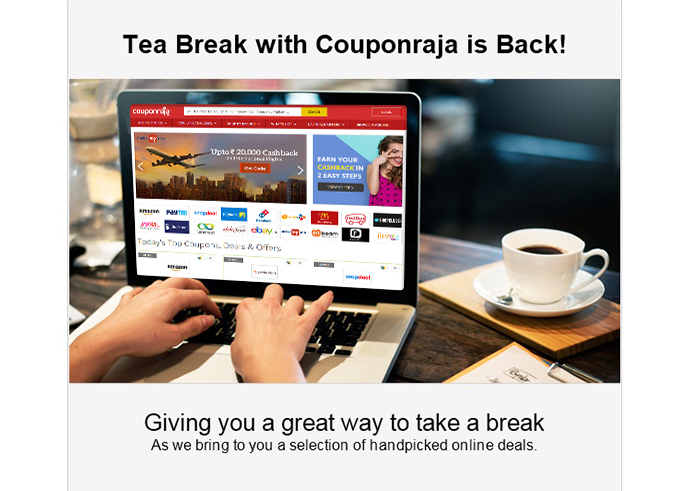
    • Email: Communicating with existing subscribers, or targeting a new set of people through bought databases is possible via email, but often you can only hope to add new leads for your business.

    Emailer @LogicserveDigi

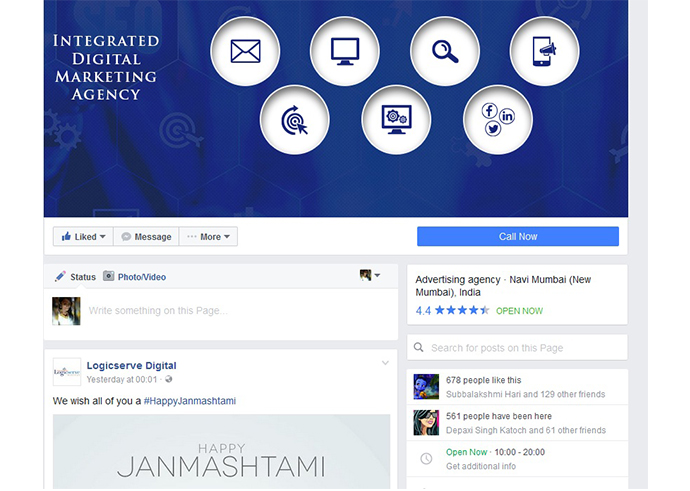
    • Social media: Facebook, Twitter and other social media networks can get business new followers build exposure to a large audience. But followers may not necessarily be your target audience who need your product or service.

    Facebook-Page @LogicserveDigi

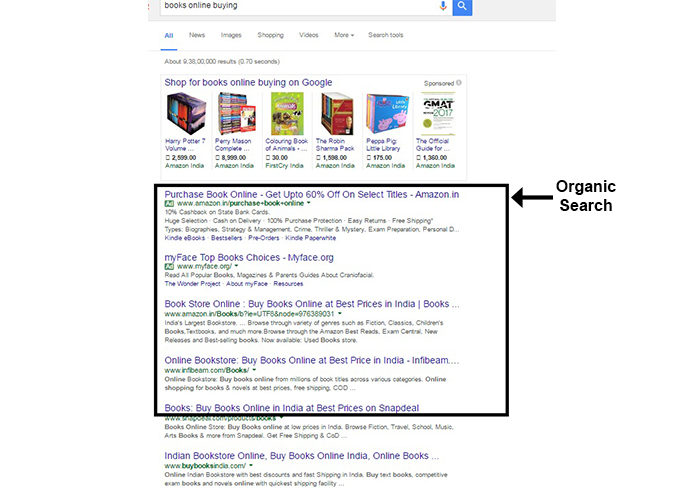
    • Organic search:  4 out of 5 search clicks come from organic listings on the first page, with the advantage of free clicks. But then you have a lot of competition, and it may take an unusually long time for your business to earn a place on the first page.

    Organic-search @LogicserveDigi

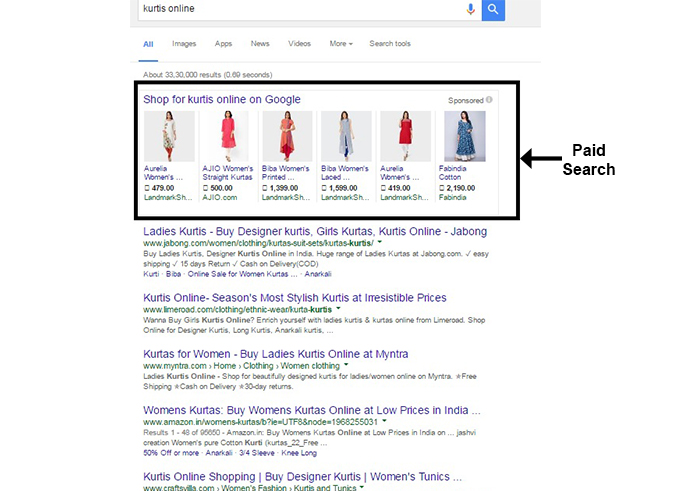
    • PPC: This allows your business to appear instantly on the first page to the most relevant audience, those who are searching for a solution to their problem. PPC increases awareness of your business to much higher levels than before.

    Paid-search @LogicserveDigi

    Yes, PPC is a paid search channel. But considering the costs involved in managing social media, blogging, search engine optimization, and e-mail marketing, PPC is comparatively an effective option for most businesses to reach a targeted audience online with full control of expenditure and return on investment.

    How to use PPC effectively for lead generation?

    • Direct potential customers to a landing page instead of the home page – While your home page may contain comprehensive information about your offerings, a well-designed landing page will generate a direct action from the customers for them to be converted into paying customers. A good PPC landing page may be independent of your website.
    • Offer something to your audience – Since you’re not leading your customers to shop instantly for any product or service in a lead generation campaign, and you’re asking for their information, you may as well offer them something they might find useful, like a whitepaper or a brochure.
    • Keep focused communication across touchpoints – The landing page should be able to continue the same story as you’d told your customers in the PPC ad. It should provide more information on the product or the service mentioned in the ad that they’ve clicked.
    • Optimize communication on the landing page – A PPC landing page will be the customer’s first point of contact with you it needs to have just the right information in a concise and visually appealing manner. Also, the lead generation form needs to just the relevant fields which can be filled up easily by the customers without any reluctance.

    PPC or Pay Per Click advertising is a dependable method of generating targeted leads to your business, provided you optimize the customers’ journey from point they click your PPC ad to the point they exit the landing page.

  • Google AdWords Review Extension moves out of Beta Phase

    Google AdWords Review Extension moves out of Beta Phase

    Back in late June this year, Google had introduced AdWords Review Extension designed to allow the AdWord account holders to add the reviews from a third-party, right into the advertisements. It was initially rolled out in a beta testing phase with signing up possible only through contact to an AdWord rep. In a recent announcement, though a Google+ post in the AdWords page, Google stated that it had extended the AdWords Review Extension all the users.

    What is the AdWords Review Extension?

    The review extension is meant to exactly what book publishers have been doing for ages– Showcase positive reviews. The AdWords Review extension will let you quote or paraphrase reviews, rankings etc. from a third-party. These reviews would be visible along with your advertisements along with a link to the review publisher’s website.

    Adding a Review to your Campaign

    The Review Extension is enabled by a simplistic UI. You start with the Ad extensions tab and then go to Review Extensions. Click +Extension will lead you the question of to which campaign you want to add the review extension to. Google makes it categorically clear, that you are solely responsible to acquire the rights to publish the reviews of the concerned third-party.

    The review text is understandably succinct with a 67 character limit including the name of the publisher. As stated by Google, the authenticity of the reviews is verified using automated and human-based methods. So, after you save a review it takes a few days to get approved. Google has obviously found a way to ensure that fraudulent reviews don’t get pass the filter.

    The Effects of the extension

    Showcasing reviews is a time-tested strategy. It has worked almost everywhere. These reviews can be helpful especially to small scale local businesses which cannot use the Seller Extension. You don’t have to pay neither for the clicks on the publisher’s landing page links nor for inclusion of the review. No hindrances on your side, except maybe for the review publishing rights. The upshot from would be a visible increase in the click-through rate. The searcher will enter your site, with the reviews in mind, making a sale more probable. As a user, you get to have an extra marker on whether to waste a click on some advertisement or not.

    This Review Extension has obviously seen positive response otherwise Google wouldn’t have rolled it out within 4 months. This will improve both the veracity and efficacy of AdWords. So, if you run a campaign, make sure you start collecting your accolades!

    LogicSpeak:

    The extension will add the necessary credibility to your Ads. This will increase the trust of the consumer. In the longer run it will uplift the brand popularity with a reviewed source, subsequently working as a word of mouth  for your products.

    Previous Post: Optimise your Google Plus Page for More Interactions

  • What exactly goes on in the ‘not provided’ keyword section?

    What exactly goes on in the ‘not provided’ keyword section?

    'not provided' keywords

    Google had announced back in Oct 2011 that it is taking steps which would not give out the information of the keywords being used to reach a particular site, for users who will use Google Search in the logged-in mode. This was bad for SEO, but then in Sept 23, Google did something even worse. It made all the keywords secret! Irrespective of the fact if the searcher is logged in or not, Google will not give out the keywords. So what exactly is ‘not provided’ keyword section? Let us go into the depth of the situation.

    What and Why

    First of all, this step is a measure directed towards better privacy of the searcher. When someone enters Google.com, they are directed to the https version of their country’s domain. If you have observed how Google directs you to the search results’ website, you would have seen that it doesn’t give the link of the website directly. When you click a result, it is directed via Google. So, Google has the full control over whether to give out or not give out the keyword to the sites to which the traffic is directed.

    This is good from a privacy point of view. Google’s primary aim has always been to deliver the best search results to its users. The placement of ‘Sign In’ on the upper right hand corner, is a clear indication that Google wants you to use all its services together. So, giving out the information as to which keywords searchers used to get their sites, is irrelevant as far as Google is concerned.

    Effect on SEO

    As far as SEO strategies go, you would be severely paralyzed since you wouldn’t know how user found your site i.e. which keyword was used to come to site. Modulating your campaign would be tough if you cannot check the traffic stats to know which one of them is paying off more. You would get the keyword data, from the traffic directed from other search engines. So, you would have to make do with a tiny amount of information.

    What’s the way around

    You can still monitor your traffic but the problem is you don’t know how they got there. There are some indirect methods:

    • Analyze in which page the users land the most. This would help you know what they were looking for.

    • Get the on-site data to know what exactly the searchers are looking for, once they reach your site.

    • AdWords are the only strategy to know if some keyword is really working or not. Google has no restriction on data regarding the traffic directed via the paid AdWords.

    LogicSpeak:

    ‘Not Specified’ keywords have now become a 100% reality. You have to devise more and more indirect techniques to know what sort of traffic you are getting. For the time being, there are other search engines which will give out the keyword information. But sooner or later, these will take the same stance as Google. So, better prepare yourself for a keyword blind SEO campaign!

    Previous Post: How to create an effective social media campaign