LS Staging

Category: Social Media Optimization (SMO)

  • Twitter Cards – An Absolute Marketing Tool

    Twitter Cards – An Absolute Marketing Tool

    Twitter-cards @LogicserveDigi

    Considered as the second best alternative for bringing in the desired relevant traffic, Facebook and Twitter rule the roost over and above the traffic received through search engines. At times, you need to be well prepared for facing traffic meltdowns due to search engine updates and till the time your website bounces back to its position, it is best to have an alternate source of traffic up and functional.

    Twitter Cards is truly an innovative offering for reaching out to more traffic in a quickly engaging manner. Business owners can use them to present audio as well visual content right on the Twitter ID rather than just the link, your followers can instantly enjoy the content and move on the next best decision.

    Using Twitter Cards you can display videos, images, product information, and audio tweets along with relevant links of your website on your Twitter platform. This could mean a better retention rate on your Twitter handle as you are not diverting the traffic elsewhere. Through the Twitter Card analytics, you could even ascertain the performance and get key insights on the performance of these Twitter Cards.

    With various card options on the offer, you need to be careful in choosing the suitable one for your purpose especially the nature and type of your business. Aptly named, each of these cards has a definite purpose –

    • App Card – A card to promote apps whilst offering a downloadable link. This makes it essential for the viewer to download the app for viewing it on his/her preferred device. For mobile users, mobile link will be offered while for desktop users, a web link will be displayed.

    For encouraging viewers to download the Couponraja app, India’s premier couponing portal Couponraja, deftly used the App Card, highlighting an interesting shopping deal encouraging viewers to shop using their App. Depending upon how the App Card has been accessed, the suitable link is offered for download
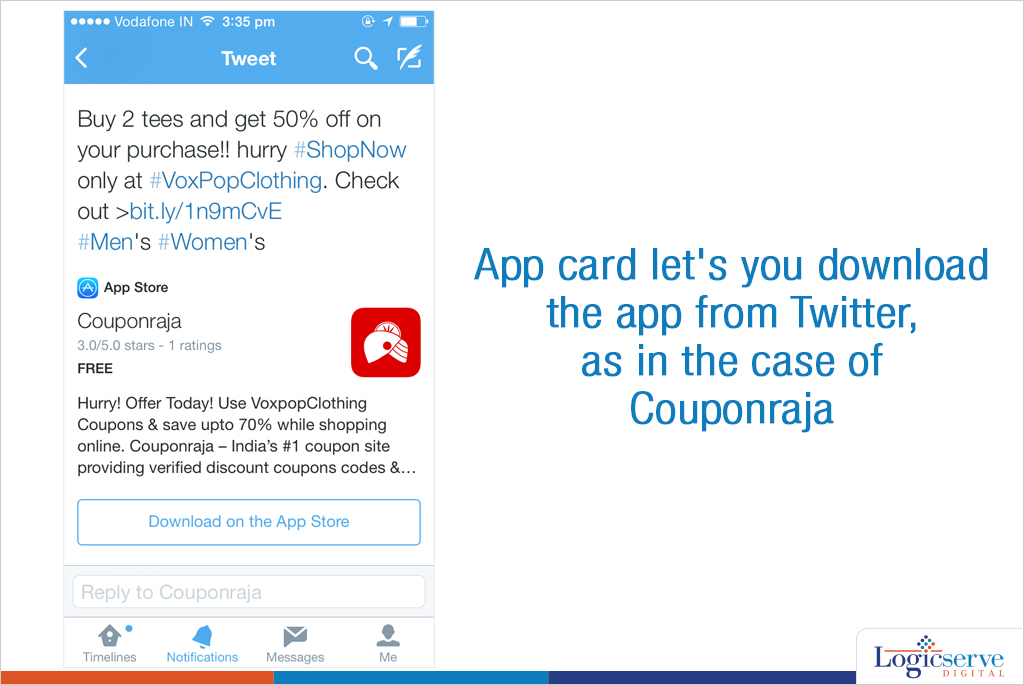
    Twitter-cards_couponraja

    • Lead Generation Card – A card integrated with Twitter Ads dashboard for generating leads for products and services offered by you. A simple click and you get a list of email ids that are on their Twitter handle through your association to reach out to.
    • Website Card: Emphasis on your website image and integrate traffic to it through the Twitter Ads dashboard as you can define landing page through the Read More button

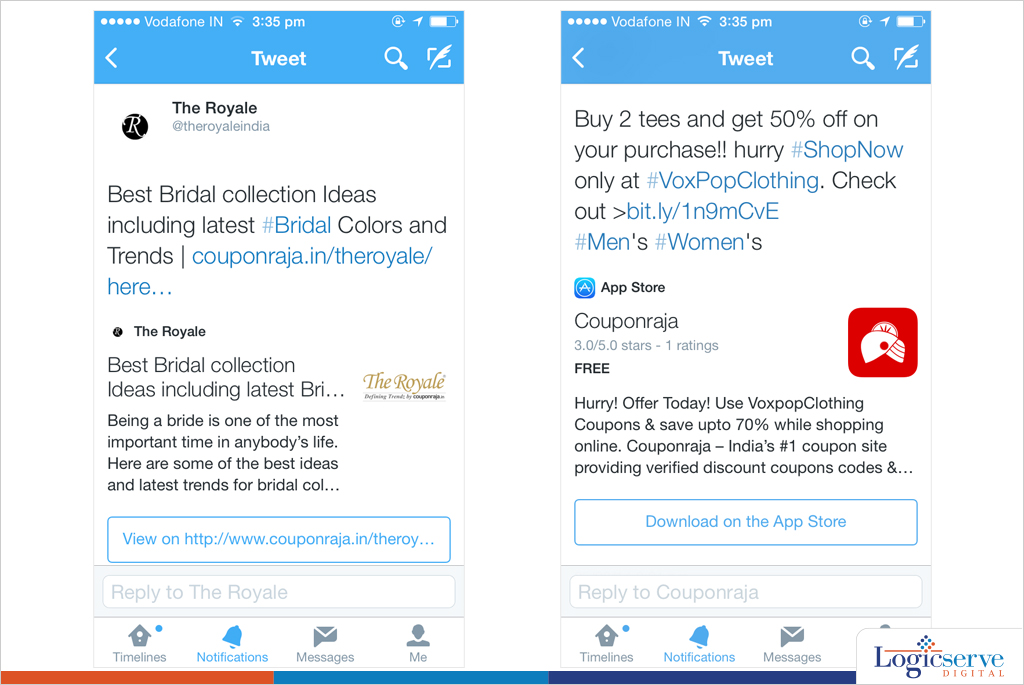
    The Royale, a webzine initiative from Couponraja uses the Website card to display the feature images, feature title and a link to the feature on the Royale which readers can click on to read the entire feature.

    Twitter-cards_theroyale

    No better way than to increase traffic to your website through the Twitter Website card. Let your website card display the website image, title and call to action button which the viewers will be compelled to click on in order to know more about your offering. Once there, there sure to browse through for more

    • Player Card – A card with media link – listen to an audio clip or view a video clip or any other media. Ideal for those promoting their media production – maybe a song or animation clip even an ad for a product!!
    • Product Card – A card encompassing product details including product images and offering links to your website through the image, title and view the ‘web link’. You could even direct the traffic to your website directly from here.
    • Summary Card – A virtual business card of sorts offering an image and requisite details maybe a summary of service or product promoted by your website
    • Photo Card – A relatively simple card with an interesting image, it could highlight an event or an achievement of sorts which needs complimenting
    • Gallery Card – A card with a collage of 4 photos to the maximum, best for travel websites offering travel options as they can display the most attractive images to lure customers

    How to integrate Twitter Cards within your website ?

    Installation of Twitter Cards requires the requisite metadata to be added on to the head section of your website. Each developer page of the card will contain its specific metadata. With an option of installing the metadata annually page by page or by integrating the same through your CMS system and suggested plugins, you choose the best alternative. Through with the integration process then you need to choose the Twitter Card Validator to verify your Twitter cards. If they are done right, they will be displayed in the respective tweets

    Ready for use, the Twitter Card Analytics can be used for judging their performance. Access Twitter Card Analytics through the Twitter Analytics dashboard offered within the Twitter Card to check out who has retweeted your cards the most and through apps they used to do the same.

    Twitter Cards permit you to offer the most relevant content in form of images, text and even multi media of your promotional initiative. Thus, you can deliver the right message within your tweet whilst engaging your customers. A wonderful and non invasive marketing tool which is rapidly gaining acceptance across the world, so go ahead chalk out your Twitter Card strategy right away.

    Previous Post: How to use Google Plus for Increasing Your Blog’s SEO and Traffic

  • How to use Google Plus for Increasing Your Blog’s SEO and Traffic
    How to use Google Plus for Increasing Your Blog’s SEO and Traffic
    Google Plus for Increasing Your Blog's SEO and Traffic @LogicserveDigi

    Are you too tired of all those must-use social media platforms — Facebook, Twitter, Pinterest, LinkedIn, YouTube — to promote your content, whether it’s your company’s blog or a long term content marketing campaign of your company?

    Do you want to skip Google Plus? Well, don’t!

    Use Google Plus to Your Advantage

    Google Plus is definitely not like Orkut that Google might decide to shut down in the near future. In fact, Google Plus is part of Google’s long game in terms of how it wants to tweak Google search and personalize it while promoting authentic and high quality content while down-voting spammy content.

    Of all the social networks that play a role in Google’s search results, Google Plus is easily the most important. Google does not have full access to platforms like Facebook and Twitter while Google Plus is part of Google. Hence, content on Google Plus gets indexed by Google very fast and any sharing of such content and the number of +1s for such content is visible to Google as well.

    Use Google Plus to Increase Your Blog’s SEO and Traffic
    When your blog has its own Google Plus page and it has thousands of people who like it or have it in their circles, then your blog will show up higher in Google search results for keywords that your blog is focused on.

    Hence it’s important not only to have your blog be present on Google Plus, it must be smartly optimized with the right use of hashtags. Hashtags are a powerful tool to help Google categorize the content of your blog posts so that the blog posts are search-friendly.

    Use Google Plus’s Circles appropriately to share your post with the right circles to give

    it the right sort of publicity without appearing to be spammy.

    When you make a new blog post, you should link to that from Google Plus and make the post public so that it’s publicly available both inside Google Plus as well as Google search results.

    Write informative posts in Google Plus itself to keep those in your circles engaged. Remember these tricks to format your Google Plus content:

    • Use asterisks (*text*) for bold text
    • Use underscores (_text_) for italic text
    • Use hyphens (-text-) for strikethrough text

    Google Plus allows for custom URLs; so, go ahead and assign an appropriate URL to your Google Plus page.

    Remember that the first 40 to 50 characters of your Google Plus posts become that post’s page title in Google search results; hence, it’s critical to optimize those initial 40 to 50 characters of every post.

    Use images in your Google Plus as appropriate since images make stronger impressions than text. Also, you can update animated GIFs to Google Plus posts.

    Since Google wants to give greater importance to authenticity and authority, it makes sense to set up Google Authorship for the writers of the blog posts.

    When articles have authors with verified Authorship, the author info shows up in search results and thus the blog post stands out. If somebody is searching while being logged into Google, Google Plus or Google Chrome, the search result will offer the option to the user to add the author to their circles directly from the search result page.

    LogicSpeak:

    With these basics taken care of, you can be sure of increasing your blog’s SEO via Google Plus. While Google’s search rankings keep changing and the role and importance of Google Plus might keep changing within Google’ overall search algorithm, it’s safe to say that it’s never going to harm your blog’s prospects in the Google universe if you take care to use Google Plus smartly.

  • Integrated Marketing and SEO — What you Need to Know

    Integrated marketing and SEO @LogicserveDigi

    Making SEO an integral part of your company’s marketing efforts has many benefits. If you are a large company, you will save yourself a ton of money if you run an integrated marketing campaign versus having different marketing silos that focus on offline and online marketing.

    Also, if you don’t have an integrated marketing approach, you might send out confusing signals to potential consumers and you may have a marketing disaster on your hand sooner or later.

    Better to develop a single corporate identity and to promote that identity via an integrated approach that includes all the different marketing avenues including PR, social media marketing, offline marketing campaigns such as events and billboards and so on and combine that seamlessly with online marketing activities such as PPC campaigns, content marketing, social media marketing and SEO.

    If you are a small business, surely you don’t need to be wasting money in running multiple marketing campaigns and the need for an integrated marketing approach with SEO included becomes even more important.

    How To Develop a Top Notch Integrated Marketing and SEO Plan

    You need a vision for your corporate identity and then you can come up with a long-term strategy to be broken up into detailed tactics to accomplish that vision.

    Your integrated marketing plan should include these components:

    1. SEO
    2. PPC
    3. Content marketing
    4. Social media marketing (SMM)
    SEO

    The basic SEO elements of a website should be integrated into the website ideally during the development of the website and these include: on-page optimization, technical SEO, and site structure.

    You should complete a competitive keyword research to determine which keywords are worth focusing on.

    PPC

    This also helps you with running a targeted PPC campaign to test the effectiveness of various keywords and keyword combinations. With further research and A/B testing of landing pages plus ads as well as writing good ad copy, you are ready to run a PPC campaign.

    Content Marketing

    This includes blogging, email marketing, newsletters and other efforts.

    The benefits of blogging are many including:

    • Creating a community of readers
    • Improving your site’s SEO
    • Improving your subject matter authority and becoming a trust-worthy source of authoritative information
    • Bringing customers into the marketing funnel

    Obviously, your blogging should keep in mind the keywords that you want to focus on as part of your SEO strategy.

    Email newsletters have many benefits including:

    • Being able to reach your existing and potential customers in an assured manner
    • Relatively low-cost way to promote any time-sensitive offers and discounts and so on
    • Develop a loyal set of customers

    Content marketing can of course includes other formats including creating YouTube videos and infographics. While infographics help convey information in a user-friendly way, YouTube videos present the message in a format that consumers love to consume. The many recent instances of successful viral YouTube videos prove how useful viral videos can be.

    Social Media Marketing (SMM)

    Your social media plans should be in line with your corporate vision and depends on whether you are a B2B company or a B2C company.

    Facebook company pages and Twitter handles are essential for B2C companies. You have to not only create those pages but also ensure that you are active and posting content via those channels in a regular manner.

    You have to make sure that you address any customer complaints that come to you via FB or Twitter. You have to respond to them swiftly and in a manner that will accrue goodwill to your company.

    Pinterest and Instagram are platforms with different demographics and your business niche will determine how important they should be to your overall strategic marketing plans.

    You can go for an ironic tone or a funny one in your social media accounts but you gotta be consistent in what you want to be. You can get an idea about what will be a successful persona based on the keyword research and A/B testing done as part of your SEO and PPC efforts.

    Integrated Marketing

    When you have an integrated approach to your marketing efforts, you get a positive feedback loop in some ways. For example, you can promote a Twitter hashtag specific to your company not only via your Twitter handle but also on your billboard ads and in your PR newsletters as well as email newsletters and blog posts.

    When you send out a single message via different channels, the message will likely stick with the customers or potential customers more effectively.

    Integration of marketing and the message has to happen at many levels. Your website should have your corporate logo and a color combination which should be replicated throughout all your different marketing formats: email newsletters, blog, Twitter background, Facebook page design and YouTube channel.

    Logicspeak:

    Finally, you need to have a long-term plan and pursue it relentlessly. And you need to keep track of the success of your efforts and see the effects of your integrated campaign on your customer base and what success it is having in pulling fresh new customers into the marketing funnel.

  • Top 10 Social Media Tools

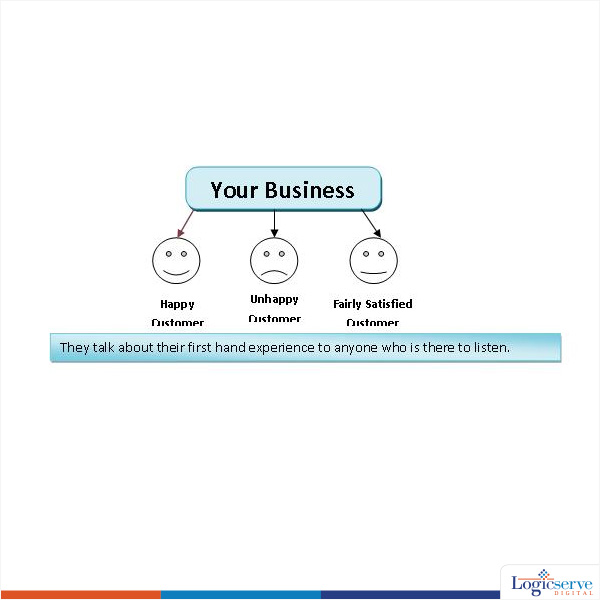
    Man is a social being. Also the reason why always want to share “Hey this happened to me!!” at every available opportunity. Now, put these two together, what do we get?

    2

    Depending on their experience, you could either gain or lose a potential client. We don’t want to lose clients, do we? Even with an unhappy customer, it would be nice if he shared an objective perspective and not an emotional perspective. But then, people are people, and that’s how they share experiences.

    The trick here is to engage your customers and potentials in a healthy way. The idea is to have your customers become brand ambassadors and generate more business for you. But, how do we go about doing this?

    Social platforms like Facebook, Twitter, Reddit, Blog comments, Linkedin, Quora (..oh.. the list is endless…) provide ample space/opportunity for a healthy discussion. But, is it possible to login to each one of them…and be online at all times… at all of these sites? I guess not. Logistics apart, such an act will leave you no time to actually conduct your business… not a productive way..eh!

    Enter Social Media Tools.

    Social Media tools are utilities that allow you to manage multiple social media activities via a unified dashboard.

    Here we have our 10 best Social Media Tools, under 5 categories. You can see that some features look similar. But they are not the same. Each tool has its strength, and hence its placed under the chosen category. Some are free, some are paid tools… but offer free-trial-version for you to explore and evaluate.

    1. DASHBOARD UTILITIES

    Every management tool comes with a dashboard, but that is besides the point here. These tools exclusively help you track your social media activities from a single unified dashboard. By linking to your multiple social media accounts, they allow you to set up schedules on…

    When you want to post (date –time)

    • Where you want to post (Facebook/twitter/Linkedin etc)
    • What you want to post (text/link/pictures etc)

    2. ANALYTICAL UTILITIES

    It is just not enough to get “info / data” by listening to social media chatter. Such an exercise bears fruit only when you are able to convert this information into something actionable…. Actionable enough for your brand / company to (re)act accordingly. These tools allow you to make sense out of raw data and give you an insight into why a certain strategy works (or tanks).

     3. SOCIAL MEDIA TRACKING TOOLS

     Social Media is all about sharing. The more useful AND relevant your information is, more likely it will be shared by others in your network…and in their network…and in their network.

    See my point… it gets re-shared. In other words, it goes viral.

    Wouldn’t it be nice to keep track of all these sharing? May be you want to thank a person or two? May be you would want to by the fella a drink? And, this my friend is getting social, and engaging your loyal followers. Keep them in good spirits, you just won yourself a brand ambassador for life.

     4. PUBLISHING TOOLS

     Content is King. PERIOD.

    But, you need to get the right content reach the right kind of users. An article about upcoming art exhibition is absolutely useless to plumbing company but immensely priceless to artists and art-enthusiasts.

    These tools help create custom lists to who you can publish your content (as an email newsletter). The information reaches only to those whom it might matter the most.

     5. LINK TRACKING TOOLS

     Social Media is all about links-links-and more links to meaningful/useful content.

    Best way to engage your networks is by being short and to the point. But there is only so much you can say with so little words, and would need a more descriptive way to convey your point. This is made easy by linking your social media message to a link (a.k.a Content source).

    These tools help you track the performace of your links. This is vital in understanding the demographic for your network and come with a more targeted list.


    DASHBOARD UTITLITES

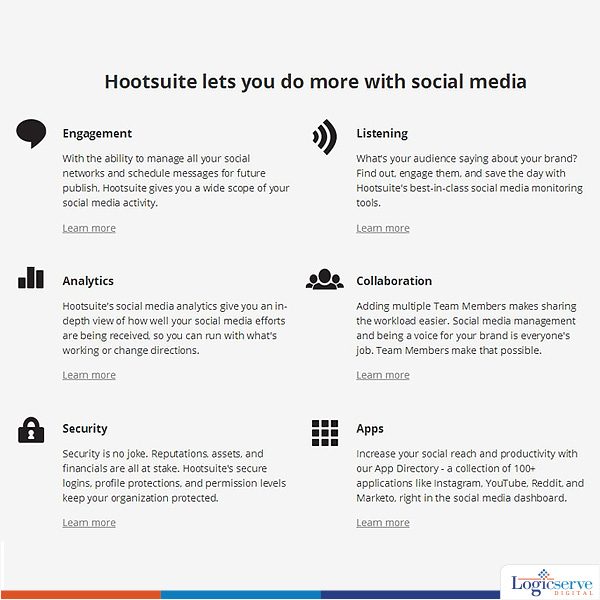
    Hootsuite
    Hootsuite
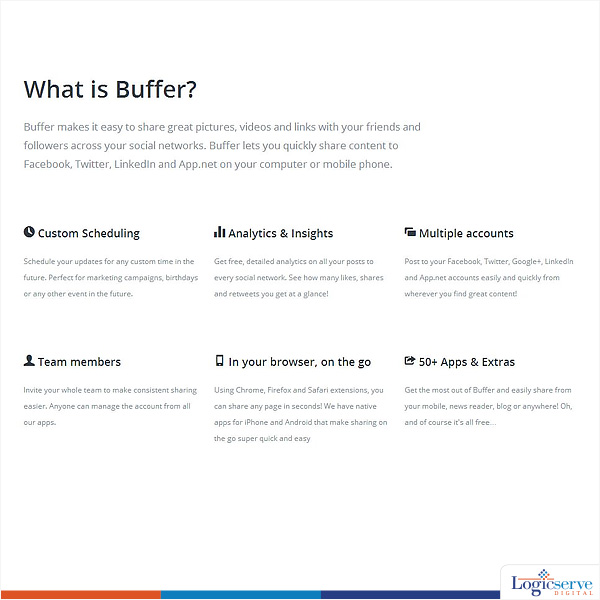
    Buffer
    Buffer


    ANALYTICAL UTILITIES

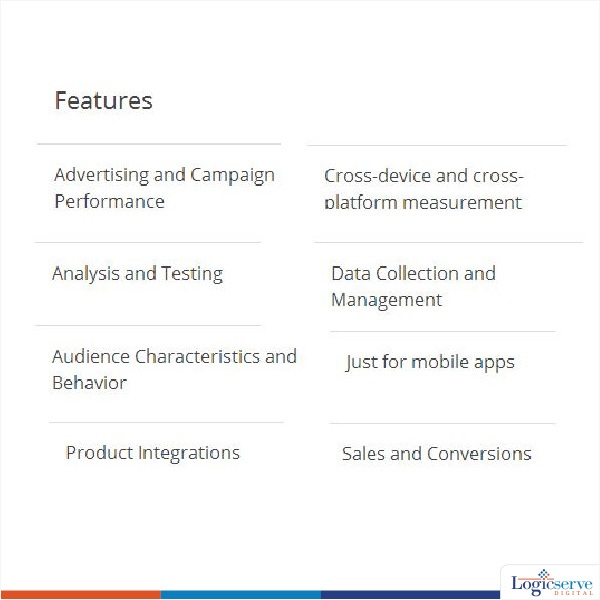
    Google Analytics
    Google Analytics
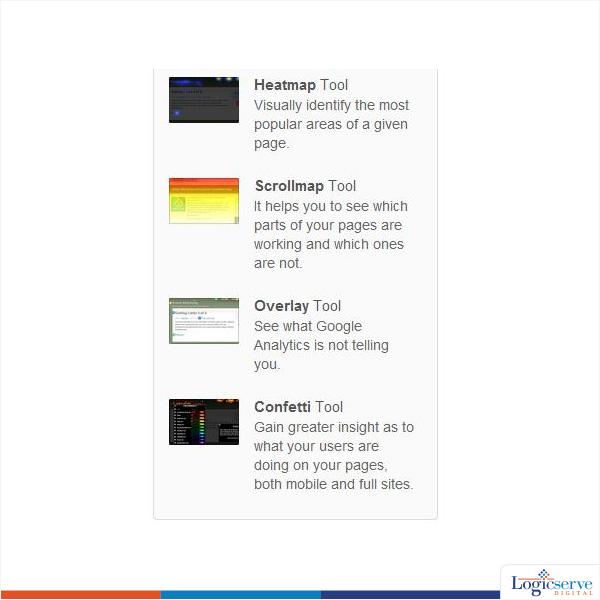
    Crazy Egg
    Crazy Egg


    SOCIAL MEDIA TRACKING TOOLS

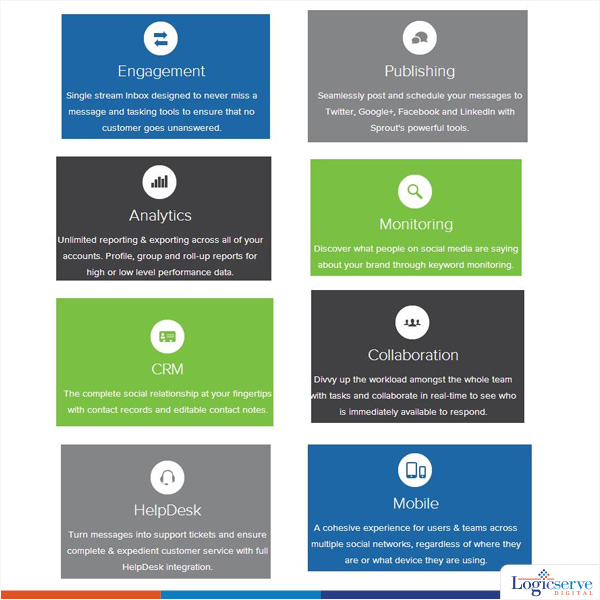
    Sprout Social
    Sprout Social
    Viral heat
    Viral heat


    PUBLISHING TOOLS

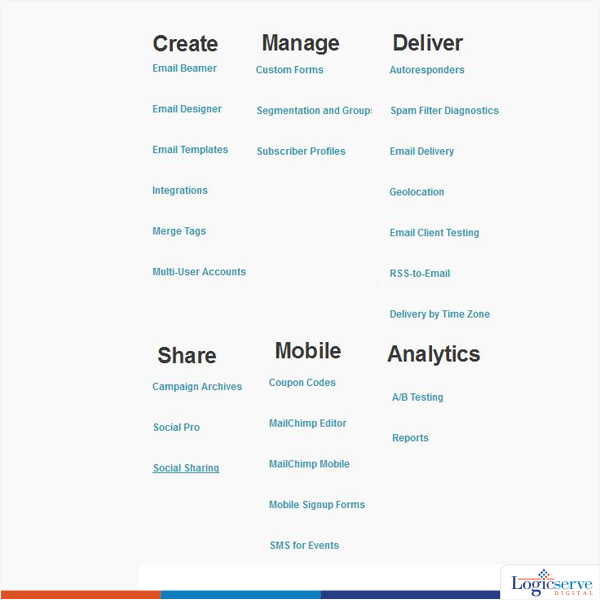
    Mail Chimp
    Mail Chimp
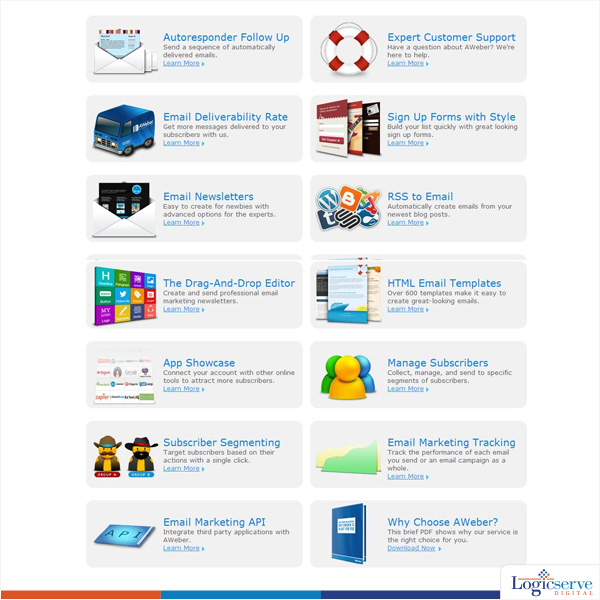
    Aweber
    Aweber


    LINK TRACKING TOOLS

    ClickMeter
    ClickMeter
    LinkTracker
    LinkTracker


    LogicSpeak:

    Everyone is interested to know what the other person has to offer, but downright dislikes a sales-pitch. So use your social media interactions wisely.

    With Social media – LESS is MORE.

    Previous Post: What You Need to Know About Creating and Scaling Quality Content

  • What you need to know about guided search in Pinterest

    What you need to know about guided search in Pinterest

    Pinterest guided search @LogicserveDigi

    Pinterest gives you a good break from the already overcrowded platforms of facebook, Google+ and twitter. Image as its main focus, Pinterest is now one of the widely used platforms in the world. After further raising more than $800 million collectively from its investors last year, Pinterest now simplifies your search by introducing the guided search engine.

    The Guided Search Engine

    Whether you put in what exactly you’re looking for or just for something in general with options, this guided search will help you get it in a matter of seconds. There are descriptive guides that help you get through your search and make it further detailed and interesting. For example, if you’re looking for something as simple as a haircut, Pinterest helps you also with the guide to specific styles like the curly layers, bob and redheads and much more. Pinterest guided search is a guide that not only gives you what you are looking for but also offers choices to leave you with more than one option. In a nutshell, it allows you to look for what you want and also for related things you don’t know can be helpful.

    How to Use it

    It’s simple and quick like every other search engine. Tap in the search icon; fill in the name or the closest information of what you’re looking for. As soon as you do that, guides appear, click on any of the guides for a more refined search and get straight to what you want. Focusing on visuals, Pinterest guided search aims at discovery rather than just findings.

    Why this move

    Pinterest now is accessed by millions of users across the globe and houses a catalog of billions of great images pinned exclusively by professionals from all walks of life. Therefore, a guided search engine to reach to the exact thing you’re looking for makes all the sense.

    With the introduction of guided search, Pinterest focuses on shifting the spotlight of this world’s 4th largest platform from just being a social sharing media to an ideal visual search engine. Pinterest aims to make this guided search more of an informative platform where in you even get to have an idea of something you’re not looking for. It is this quality that gives it an extra edge.

    LogicSpeak:

    Pinterest guided search is now also available on the go with its apps being introduced for Android and iOS platforms. This move will further push this new initiative of guided search to more audience. This guided search is a huge boost to brands as they can use it to further promote their business to their target audience for more exposure. All in all, Pinterest guided search is here to allow you to go beyond just searching and discover more than what you’re looking for.

    Previous Post: Google Panda 4.0: Here Is What You Need To Know!!

  • How to Integrate Content and Social Media Strategy

    How to Integrate Content and Social Media Strategy

    social-media

    Having a robust social media strategy is essential to develop awareness for your brand. Awareness should lead to popularity and a solid social media strategy enables brands to create platforms where they get to engage with their customers. Social media is a two-way conversation and not just about sharing links on Facebook, Twitter or Google+.

    To have an effective social media strategy, you must also have a pretty good content strategy because what will drive social media engagement is if your content is engaging.

    For example, if a brand’s Facebook or Twitter feed is known to be funny or known to make comments on contemporary affairs (think of ‘Amul’ and its cheeky comments on current events), then social media users will flock to the brand’s Facebook page or Twitter feed expecting some funny comments.

    Developing a Good Content Strategy

    Content strategy is dependent on your business vertical to a certain extent. However, there are some common rules of the road that should be followed.

    • Keep in mind the nature or the uniqueness of the specific social media platform in mind. Facebook and its users are different than Twitter and Twitter users. So, your content for your Tumblr blog has to be different than for Pinterest and your Facebook posts need to differ from tweets.
    • What is common to all the different social media platforms is that your content should be interesting. How to make something interesting is a question with multiple different answers. If you are in the pizza delivery business, you can focus on all the different varieties of pizza and share mouth-watering photos of the same. Many brands resort to puns to drive user engagement. It can be a challenging strategy to depend on puns or funny one-liners as you would then need a constant supply of good one-liners which will require a good creative team which has a good understanding of the psychology of social media demographics and users.
    • Unobtrusive advertising in its many avatars is the new way to build a brand — whether it’s a YouTube video of “20 strangers kissing” that turns out to be a clever marketing campaign or a Twitter-record-shattering Oscar selfie starring a bunch of Hollywood celebrities. Brands should try to come up with the next viral video that will attract a million views on YouTube like the clever mash-up of Game of Thrones and House of Cards created by Quiznos.

    Content Marketing Tactics

    The content marketing battle will need to be fought on many fronts. Businesses should choose any or all of these tactics depending on the suitability of these tactics in meeting their ultimate goal.

    • Blogging — blogs are becoming increasing important for many different reasons. Blogs can be a repository of good quality content and FAQs and help guides for customers. Blogs can be optimized to appeal to search engines. Most customers resort to search engine queries to find out about products and having a good blog will ensure that such potential users will be directed to your business. Original content has become even more important after the Google Penguin and Panda updates which sought to highlight original content and which are designed to remove sites from search results that resort to various manipulative techniques such as stuffing a site with backlinks. Such “black hat” SEO techniques are no longer effective and will severely damage a site’s search engine ranking.
    • Choosing Wisely — whether a business should focus on a YouTube channel or on sending updates via newsletters depends on the type of business. For businesses that are large enough, they need to go for both. If you sell a product that is a bit complicated to assemble or operate, then upload a YouTube video tutorial explaining how to assemble or operate it; then share the YouTube video on social media channels. Email marketing is great if you want to send out coupons or special offers on a weekly basis or built around popular events throughout the year.

    LogicSpeak:

    Finally, businesses have to be savvy enough to use analytics tools to keep track of the success of various online marketing campaigns. Smart brands will learn from their own and other brands’ successes and how to avoid those embarrassing social media blunders such as the person who handles the company’s Twitter account inadvertently sending out a personal photo to all the followers on Twitter. Have a strategy in place to deal with those inevitable errors. Apologize for genuine mistakes and brands have even been known to take advantage of their embarrassing mistakes on social media and turn the error into an advantage.

    Previous Post: Going mobile with Ecommerce

  • Facebook lifts the option of keeping profiles ‘non-searchable’

    Facebook lifts the option of keeping profiles ‘non-searchable’

    Facebook

    Earlier Facebook had provided users to choose not to be searchable through their profile. This meant that users could trace a person or an acquaintance but the third party trying to locate them could not always be successful. This feature was recently removed.

    Initially, the setting was launched when Facebook was a simple networking site operating on social values. The search for people was enabled through clicking a name in the News Feed or through the friend list of a mutual friend. With expansion and progression of Facebook, people reach out to Graph search in order to locate a single person or a particular group having similar interests.

    This feature made it even more essential to control the personal privacy factor of an individual or a group of people especially their Timeline and the public access to it. This development was very crucial to people who have a very popular personal profile and enjoy a higher search percentage as compared to regular or normal people.

    Once again, Facebook urges its viewers to exercise more control and caution over what they post and with whom they can share their post with. This can be done by visiting the privacy settings page of their account. The users should try to share the post with a limited audience, especially their trusted group of people with whom they have had previous shares and likes.

    Emphasizing on these parameters, each user can control his/her profile in a better and a reliable manner –

    Share posts with people who would like reading or knowing about your post. Each and every post can be controlled with regards to its display.

    Refer to the Activity Log and reorganize it as per your preferences which include posts and images which you no longer wish to share or display. This can be done by changing their privacy status. If done regularly, this exercise works wonders for the profile and ensures it stays updated always.

    You could even communicate with your friends with regards to information, posts and images relating to you but shared by them requesting them to remove them, if you wish so. By all means, you could seek out the reporting feature available in the Activity Log to do so. On the overall, these attempts of shielding personal facts and images from the eyes of the audience makes one think twice of its very presence on Facebook.

    LogicSpeak:

    Understanding the parameters sounds easy but implementing it could be time consuming and slightly tougher proposition. For social media specialists this will be a big boon to target a wider range of consumers, if their strategies are placed right.

    For more information on Social Media Marketing click here.

    Previous Post: Recent Changes in Facebook that you have to know about

  • Recent Changes in Facebook that you have to know about

    Recent Changes in Facebook that you have to know about

    recent facebook updates

    Facebook has made some recent changes to its newsfeed, and the way things are displayed. Many of these changes are visual, but as far as social media promotion is concerned, there are some solid changes to look forward to. Here is a list of some of the most useful changes that Facebook has made.

    Bigger Images

    Images in the posts have become bigger. Engaging the attention of a casual user, scrolling down his newsfeed, is far easier if your post has a big and beautiful image explaining the gist of the post. So, when you are designing the content of a post, focusing on choosing the right image is essential. There’s the concern for size too. Facebook is very specific about the way in which it shows the images. If your image is not of the right size, you may end up with wrong type of cropping.

    Better newsfeed

    A user likes hundreds, and sometimes thousands of pages on Facebook. The decision of what to show on the newsfeed is complicated, and Facebook has a new algorithm now which takes into account more than 100,000 criteria to determine the rank of content. These are based on the past interactions, and past behavior of the user. Read about the nifty features of the algorithm as much as you can so that you can stay at the top of the newsfeed.

    Auto-playing videos

    Among other changes to the newsfeed, is the auto-playing feature of the newsfeed. If you are scrolling down and there’s a video in some post, it would start playing automatically when it comes into sight. It starts out silent, in the embedded form. It would stop on its own if you go past it, but a double tap on it, and you would have it playing in the fullscreen.

    More analytics for the Pages

    The Insight section of the pages, have got more features now. There are fields like growth and engagement towards a certain post, which are displayed graphically in the Insight section of the pages. You can gauge your performance on the page better that you could in the past.

    Editing the Published posts

    Remember the times when you made a typo in the post, and realized it only after you have clicked the ‘publish’ button? The only option then is to click ‘Delete’ and post the same thing again. But now, you can edit the posts. There’s of course the edited history for the reference of the viewer, but it’s a great relief that you can edit posts.

    Embedding Facebook posts onto pages

    This is a feature which can integrate your Facebook profile with your website/blog very well. Now you can embed your Facebook post, as it is, on your website. There will be a ‘Follow’ button or a ‘Like Page’ button in the embedded post, which would certainly increase your audience but quite some number, if the strategy is played out right.

    LogicSpeak:

    Facebook will continue improving its interface to suit the social media campaign. You should be vigilant about every new thing that it launches, because knowing these things offer a very big edge.

    Previous Post: Facebook Revamping Mobile Apps

  • Tips to enhance business prospects through Twitter

    Tips to enhance business prospects through Twitter

    Business prospects with Twitter

    Twitter is the emerging way above other social media networks and most businesses with an online presence have to adapt to it in an engaging manner for enhancing their business prospects. With over 200 million active users on Twitter making the best use of it does become not only crucial but slightly complicated.

    The need of the hour is to prioritize tweets which are of relevance to your business and work upon its data in a systematic manner. It becomes imperative to sort out members and tweets which fit into your desired segment and can be worked upon further. After all, social media has to be channelized to deliver bang on for which a few vital tips could come handy –

    1. Regular monitoring of the Twitter account – Your Twitter account must be receiving a large number of tweets every day but try to focus on those who are considering buying your product or service. Proceed to build up a friendly relationship and a rapport with them by acknowledging them. Also, each time you tweet remember to do it graciously. You can even make a list of respondents to your tweets and respond to them accordingly. Checkout how our Indian Couponing brand does it. (URL:- twitter.com/couponraja)
    2. Welcome new customers with a tweet. This is the right way to begin a new relationship. For every new customer who has opted for your service or product, a tweet acknowledging them could be a great way to interact with new customers instantly as well as in a friendly manner. But for this you would be required to collect their Tweet usernames along with other social media ids they regularly use. This could be done when they provide their personal details or fill up their profiles.
    3. Twitter offers tracking of its user’s geographic location provided the users have enabled it. This information does come handy when you need to ascertain from the location of the users and whether you are in a position to serve them. Also, this implies a scope for business expansion in case you are receiving tweets from new areas too.
    4. Users or customers are known to rely upon Twitter to for sending out service requests or support as and when required. If at all, you can filter out tweets with words – help or support, you would be in a better position to serve your customers and at times, promptly too.
    5. Look out for tweets which use the names of your business rivals – This gives you a fair idea of the expectations of your customers and whether you can meet up to them by strategizing accordingly. If at all, you can counteract the competition maybe it’s time you act smart and make a grab for enhancing your business prospects.

    LogicSpeak:

    Twitter may be nascent in Indian but is growing big quickly as it’s not as spammy a Facebook! With shifting paradigm it’s essential to be on this platform but ensure that you LISTEN and listen well. Be friendly, chirpy, honest and quick; and you will never love what Twitter will do for you!

    Previous Post: The need of Call Tracking for Local PPC

  • The ultimate Pinterest guide to grow in your business

    The ultimate Pinterest guide to grow in your business

    Pinterest

    Social networking sites have become more visual, this is especially true with Pinterest. Unlike Facebook and Twitter, which rely on content from a network of friends and followers, Pinterest focuses on the “interest graph” and is made up of people who gather around topics of interest rather than relationships.

    According to some reports, Pinterest offers more marketing potential than other social networks. It helps in driving more traffic to websites than Twitter, LinkedIn, Google+, and YouTube .Here are 10 ways e-commerce businesses can use Pinterest more effectively.

    1. Set Up a Business Account

    Businesses that wish to join Pinterest should set up a business account. Provide complete information about your business, and agree to Pinterest’s terms of service. Verify your website to show Pinterest users that you are a trustworthy source.

    2. Use an Eye-catching profile image

    Pick a profile image such as a logo that helps people easily recognise your business. Include a short description to introduce your company’s interests to Pinterest users.

    3. Create and organise boards

    Create a variety of boards that show off your brand’s personality and taste, and add enough pins to make each board feel substantial. Pinterest suggests that, prior to starting to pin, you consider what users care about and tailor your strategy to address them.

    • Clearly name each board, but be creative. Limit names to 20 characters or less;
    • Add a description to inspire people to follow your boards and help you appear in searches;
    • Choose a compelling cover pin for each board that gives people a sense for the content contained there

    4. Use high quality images

    Images that are at least 600 pixels wide look best and only images that are at least 100×200 or 200×100 are pinnable.

    5. Show what inspires you

    Instead of merely showcasing your products, Pinterest recommends that you show what inspires them by creating boards for the ideas, places, people, and moods behind your brand. Check out how our price comparison brand CompareRaja on Pinterest does it. (https://www.pinterest.com/compareraja)

    6. Pin to win!

    Contests are great promotional tools and Pinterest offers the perfect medium for running a contest. If you are just starting out on Pinterest and you want to get some ‘likes’ and followers quickly, then running a contest might be the perfect solution.

    7. Include product pins

    Pinterest recently created a new type of product-related pin called “Rich Pins” that includes detail like pricing, availability, and where to buy.

    8 Engage

    If you want people to engage with you, then you have to spend some time engaging as well. By regularly liking, commenting and pinning, you stand a much better chance to get more likes and comments from others as well as more followers

    9. Create infographics

    Infographics are a great way of raising engagement and follower numbers on Pinterest. Among all your pins and re-pins, some original content–especially educational content–will give you an extra edge. And since Pinterest is mostly visual and image-based, infograhics are the perfect solution.

    10. Share your Pinterest account with others

    The more people pin your content, the more discoverable it becomes. To encourage more pinning, add Pin it buttons or widgets to your website, and promote pinning on social networks and in email newsletters.

    LogicSpeak:

    Pinterest is undoubtedly most popular among women, but has a wide reach as women tend to share more. Before you start pinning identify what service makes sense for your business and clearly define marketing objectives. To activate your Pinterest contact us now.

    Previous Post: Google’s ‘Hummingbird’ hatches new search formula